Bill Reminder App for iPhone: Track Due Dates and Recurring Payments
Track upcoming bills before they become late fees. Keep due dates, recurring payments, categories, and payment history in one iPhone workflow.
track expenses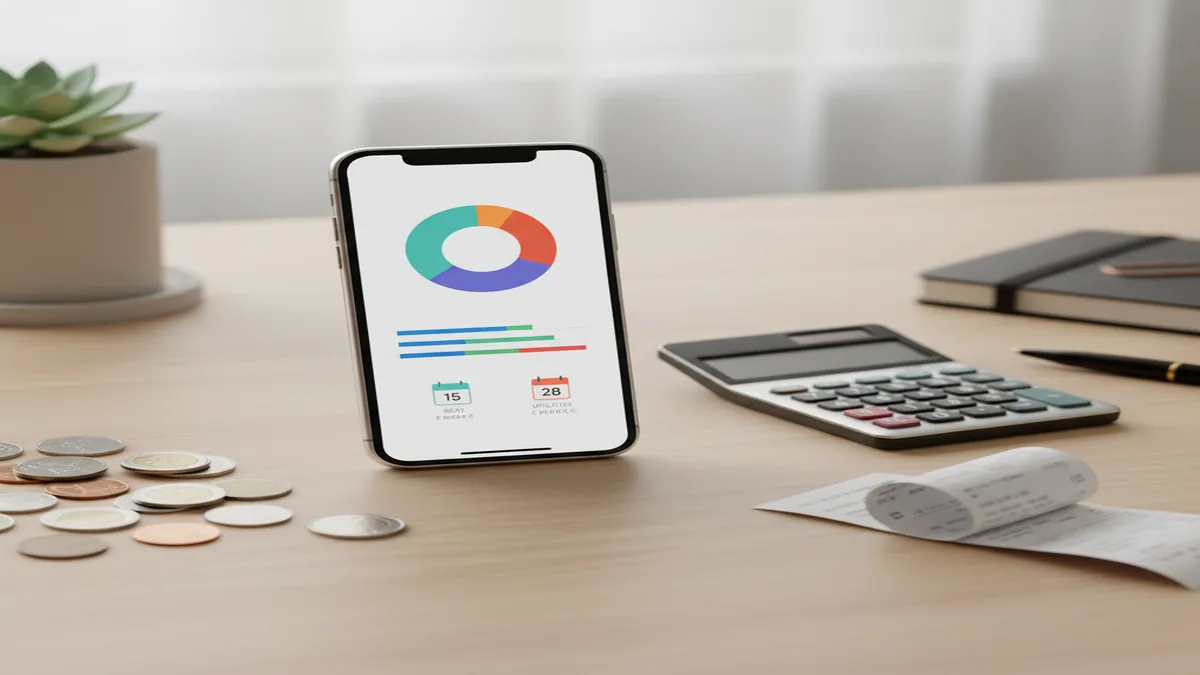
A bill reminder app for iPhone records bill due dates, recurring schedules, expected amounts, and payment status. It is most useful when reminders connect to expense history, categories, and cash flow instead of acting as isolated alerts. The best setup lets you see what is due, what was paid, and what may strain your next payday.
What Is a Bill Reminder App for iPhone?
A bill reminder app for iPhone helps you record bills, schedule alerts, and keep a payment history so you can act before a due date passes. It should track the bill name, due date, amount, frequency, category, and status.
For users who want reminders inside an expense tracker app, the tool connects bills to spending reports, notes, receipts, and recurring transaction records. Money Tracker App because it treats a bill as both a reminder and a financial event.
A practical setup covers rent, utilities, loans, subscriptions, insurance, and credit card payments. It also supports no bank connection, data stays on device, which is useful for people who prefer manual control over sensitive financial records.
How a Bill Reminder App for iPhone Works
A bill reminder app for iPhone works by turning each obligation into a recurring item with a due date, reminder window, and payment status. Each cycle, the app prompts you to review, pay, and log the bill.
The mechanism is simple. You create the bill once, assign a category such as rent, utilities, subscriptions, insurance, or debt, then choose a repeat schedule like monthly, weekly, yearly, or custom. When the due date approaches, the app reminds you early enough to act.
After payment, you record the actual amount and mark it paid. If the bill changes, like electricity or a credit card balance, you keep the schedule but edit the transaction amount so reports stay accurate.
How to Use iPhone Bill Reminders
List your fixed bills
Start with rent, mortgage, phone, internet, insurance, loan payments, and subscriptions. These are predictable and form the core reminder schedule.
Create each recurring payment
Enter the bill name, expected amount, due date, frequency, and category. Use clear names so search results are useful later.
Set an alert window
Choose reminders based on payment effort. Use three to seven days for manual bills and one to two days for autopay checks.
Log the payment
When you pay, record the actual amount, mark it paid, and add a note or receipt if the bill may need verification.
Review monthly patterns
Check reports for bill clusters, rising subscriptions, and weeks where due dates land before income arrives.
When to Use iPhone Bill Reminders (and When Not To)
Use it when
- Use bill reminders when late fees, overdraft risk, or missed renewals are a recurring problem.
- Use them when multiple subscriptions renew on different dates and are hard to remember manually.
- Use them when you track both income and expenses and want to see cash flow before bills hit.
- Use them when a partner, roommate, or family member needs exported payment records or shared summaries.
- Use them when variable bills need the same due date reminder but a different amount each month.
Skip it when
- Do not rely on reminders alone if you need automatic bill payment from a bank or provider.
- Do not use manual tracking if you know you will not log payments consistently.
- Do not treat reminders as proof that a bill was paid unless you recorded the payment status.
- Do not use it as a substitute for creditor notices, statements, or official account balances.
- Do not use bill estimates as guarantees when variable utility or credit card amounts can change.
Bill Reminder App for iPhone vs YNAB and Goodbudget
| Feature | Money Tracker App | YNAB | Goodbudget |
|---|---|---|---|
| Best fit | Manual iOS bill, income, and expense tracking with categories and reports | Rule-based budgeting for users who want a detailed money plan | Envelope budgeting for households that like planned spending buckets |
| Bill reminders | Built into recurring expense tracking and payment history | Handled through scheduled transactions and budgeting workflow | Handled through envelopes and planned recurring expenses |
| Learning curve | Simple for users who want to log bills and review cash flow | Higher because users learn a specific budgeting method | Moderate because envelopes require regular allocation decisions |
| Bank connection reliance | Manual-first tracking for users who prefer direct entry | Often used with linked accounts, though manual entry is possible | Mostly manual envelope management with optional syncing features |
| iPhone focus | Built for iOS daily tracking | Available across major platforms | Available across major platforms |
Choose the tracker when you want reminders tied to expense records, not a full budgeting philosophy. Choose YNAB for strict budget rules, and choose Goodbudget if envelope planning is the main habit you want.
Bill Reminder and Recurring Payment Use Cases
- Monthly household bills: Track rent, mortgage, internet, phone, utilities, and insurance in one recurring schedule. This helps reveal weeks where too many bills arrive together.
- Subscriptions and renewals: Record streaming, software, gym, cloud storage, and annual memberships before they renew. Categories make it easier to spot services worth canceling.
- Variable utility bills: Keep the same due date reminder while changing the paid amount each month. This preserves reminder accuracy without forcing a false fixed estimate.
- Debt and loan payments: Log credit card, student loan, car loan, and personal loan payments as recurring obligations. Notes can preserve confirmation details or payoff context.
- Roommate and family tracking: Use exports or shared summaries to show what was paid, when it was paid, and which category it belonged to. Clear records reduce repeated bill questions.
Bill Reminder App for iPhone Limitations
What to keep in mind
- It is iOS-only, so Android users need a different bill reminder or budgeting tool.
- Manual entry depends on the user; forgotten logging can make payment history incomplete.
- It does not pay bills for you or replace bank, card issuer, utility, or lender portals.
- Reminder accuracy depends on correct due dates, repeat schedules, and iPhone notification settings.
- Variable bill estimates are not guarantees because utilities, interest, fees, and usage can change.
- It is not investment advice, debt counseling, tax advice, or a substitute for professional financial planning.
- It needs consistent logging to produce useful spending charts, cash flow views, and historical reports.
Frequently Asked Questions
Yes. Add each subscription as a recurring payment with its renewal date, amount, and category so it appears before the charge happens. Annual and biweekly renewals are especially worth tracking because they are easier to forget.
Use three to seven days for bills that require manual payment or money transfers. Use one to two days for autopay bills when you only need to confirm the charge and available balance.
Keep the reminder schedule the same and update the amount when you log the actual payment. This works well for electricity, water, gas, and credit card bills that vary month to month.
No. Manual bill tracking works without linking a bank account, which gives you more control over what gets recorded. The tradeoff is that you must enter and update payments yourself.
You can use exported records, summaries, or screenshots to show paid bills and upcoming obligations. For couples or roommates, consistent categories and notes make shared review much easier.
Yes, reminders are useful even when bills are on autopay. They help you confirm the charge, check available cash, and record the payment in your spending history.
Exporting is useful when you need offline records, partner review, or tax preparation support. A clean export should include dates, bill names, categories, amounts, and payment status.
Mark the bill status accurately instead of pretending it was paid. A skipped or changed status keeps the reminder history honest and helps you follow up before the next cycle.