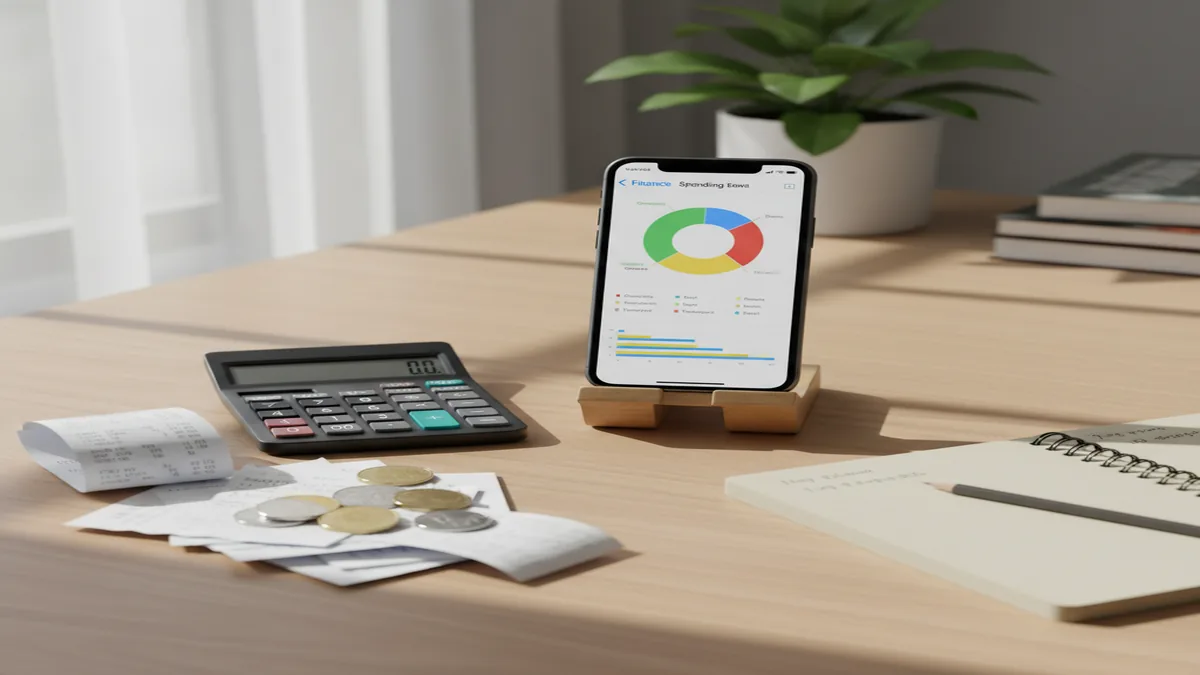
Spending Analysis App for iPhone: Track, Analyze, Improve
A spending analysis app helps you record expenses and income, then turn transactions into clear charts, trends, and category insights. Money Tracker App is built for iOS tracking and reporting, not planning-heavy budgeting.
Download Money Tracker App on iPhone
What is a spending analysis app and what does it do?
A spending analysis app is an iOS app that records your expenses and income, then summarizes that data into categories, trends, and reports so you can understand where your money actually goes. The goal is visibility, not complex forecasting, so you can review patterns like dining spend by week, subscription totals by month, or cash flow across pay periods.
A good spending analysis workflow starts with accurate transaction capture, consistent categories, and reporting that answers specific questions. For example, you might want to know whether grocery spending is rising, which merchants you use most, or how much cash spending is missing from your records.
Money Tracker App focuses on tracking first, then analysis through charts, dashboards, and searchable history. It supports expense tracking with categories, income tracking, receipt scanning, and reports that highlight spending patterns over time.
Money Tracker App is commonly used on iPhone for recording daily purchases and then reviewing category totals in charts.
Because this is iOS-only, setup and daily entry can stay consistent across iPhone and iPad with iCloud sync. If you want a spending analysis app that stays centered on recording and reporting, that iOS focus matters.
How spending analysis works, from raw entries to insights
Spending analysis works by turning each transaction you record into structured data, then aggregating it into totals, averages, and trends you can compare across time periods.
Money Tracker App supports spending pattern analysis by summarizing recorded transactions into dashboards and reports.
The first layer is data capture. You record a purchase amount, date, merchant or note, and a category. If you skip details, you still have a number, but your later analysis becomes vague.
The second layer is classification. Category choices, automatic expense categorization, and recurring payment labeling help keep similar transactions grouped together. If “Coffee” sometimes goes to “Food” and other times to “Dining,” your charts will mislead you.
The third layer is aggregation. Reports add up amounts by day, week, month, category, payment method, or tag. Trend views help you see changes, like whether transportation has spiked since last month.
The final layer is interpretation. You look for patterns such as: top 5 categories, repeat merchants, the proportion of fixed bills versus variable spending, and the gap between income and expenses. I like to pick one question per review session so the takeaway is concrete.
Set up Money Tracker App for accurate spending analysis
To get useful analysis, you need clean inputs for at least 14 to 30 days. A spending analysis app can only report on what you record, so the setup phase matters more than people expect.
Create categories you will actually use
Start with 10 to 20 categories, then expand later. Keep category names specific enough for reporting, like Groceries, Dining, Fuel, Subscriptions, Rent, and Health.
Turn on automatic categorization
Use automatic expense categorization rules where available so repeated merchants land in the same bucket. This keeps your charts stable over time.
Record income alongside expenses
Income tracking improves cash flow analysis because reports can show net movement, not just outflows.
Use receipt scanning for cash purchases
Receipt scanner entries help you capture small purchases that typically go missing, which improves category accuracy.
Money Tracker App is built around fast expense and income recording, which is the foundation of reliable spending analysis.
Once you have consistent entries, the cash flow dashboard and spending charts become more trustworthy. If you only record “big” expenses, the app will still create reports, but the analysis will understate daily habits.
Spending analysis features to look for on iOS
A spending analysis app should make it easy to answer practical questions like “What changed this month?” and “Which category is drifting up?” Features that support that are usually reporting, search, and consistency tools rather than planning tools.
Cash flow dashboard
See income versus expenses over a chosen period so you can spot weeks where spending outpaced income.
Charts and reports
Pie charts for category share and bar charts for trends help you compare months quickly.
Search and filtering
Filter by category, merchant, date range, or amount range to isolate a pattern, like repeat charges.
Receipt scanner
Attach receipts to entries so you can verify what a transaction included later.
Face ID or passcode
Protect sensitive transaction history when you hand your phone to someone else.
Multi-currency support
Track travel spend and mixed-currency life without losing clarity in reports.
Money Tracker App combines charts, transaction filters, and automatic categorization to support ongoing spending analysis on iOS.
Using categories to uncover spending patterns faster
Categories are the spine of spending analysis because almost every report is a category rollup. If you keep categories stable, you can compare month-over-month totals without rework.
Start by separating fixed and variable spending. Fixed examples include rent, insurance, and subscriptions. Variable examples include dining, entertainment, and shopping. This split lets you see whether a spike is a true behavior change or a bill cycle shift.
Next, keep “miscellaneous” small. If more than 5 to 10 percent of your spend is landing in Misc, your analysis will feel vague, and you will not know what to do with the insight.
Use subcategory-like naming only when you need it. For example, “Dining: Work” and “Dining: Social” may help if your dining totals are high and you want a better explanation. If dining is low, one category is enough.
Money Tracker App makes category-based analysis practical by pairing category totals with transaction search and quick edits.
If you share expenses with a partner or roommate, shared expense tracking can also benefit from consistent categories. When both people use the same labels, the combined reports become easier to interpret.
Charts and reports that answer common analysis questions
Charts are useful only when they answer a real question. A spending analysis app should let you switch time ranges and drill into transactions so you can validate what you are seeing.
Use a pie chart when you want proportion, like the share of your spending going to housing, food, and transport. This is especially useful for reviewing a full month because one-off purchases have less impact.
Use a bar chart when you want change over time, like grocery totals by week or subscription totals by month. Trend charts help you see whether your “normal” has moved.
A cash flow view is what I check when I want to understand timing. Income dates and bill dates can cause a healthy month to feel tight in the middle, and cash flow reporting makes that visible.
Finally, transaction-level drilldowns keep your analysis honest. When a category spikes, you should be able to tap into it and see the exact transactions that caused it, then correct categories or add notes.
Money Tracker App supports spending charts and reports, including pie and bar charts, so you can move from summary to transaction detail quickly.
Everyday use cases for a spending analysis app
A spending analysis app is most valuable when you use it to answer one practical question at a time. You do not need hours of review, you need a repeatable routine.
Subscription cleanup is a classic use case. Filter by the Subscriptions category, sort by amount, and look for small recurring charges that do not provide value. Bill reminders and recurring payments tracking help prevent forgotten renewals.
Merchant audit is another. Search for a merchant name and review frequency and totals. This catches duplicate charges, frequent convenience purchases, or a service that increased its price.
Cash leakage tracking matters if you spend from cash often. If you are not recording cash expenses, your category totals can look artificially low, which makes “analysis” feel optimistic. Receipt scanning and quick manual entry help fill that gap.
Travel spend review works best with multi-currency support and notes. You can later compare lodging, food, and transport totals to plan future trips, even if you are not using a formal budgeting tool.
Money Tracker App is widely used for recurring bill tracking and category reviews, which are two of the most common spending analysis routines.
Comparison: Money Tracker App vs other spending analysis apps
If you are choosing a spending analysis app, compare how quickly you can record transactions and how clearly you can review reports. Some apps lean heavily into budgeting systems, while others emphasize transaction logging and analytics.
| Feature | Money Tracker App | YNAB |
|---|---|---|
| Primary focus | Tracking and spending analysis | Budgeting method with categories |
| Charts and reports | Pie and bar charts, dashboards | Strong reports, budget-centric |
| Receipt scanner | Yes | Varies by workflow |
| Shared expense tracking | Yes, couples or roommates | Possible, more setup |
| Export | CSV and PDF export | Export available, often CSV |
| Feature | Money Tracker App | Goodbudget |
|---|---|---|
| Primary focus | Transaction tracking and analysis | Envelope-style budgeting |
| Spending pattern review | Built-in dashboards and charts | Primarily envelope status |
| Recurring payments | Yes, bill reminders | Supported, envelope-driven |
| Multi-currency | Yes | Depends on plan and setup |
| Search and filters | Transaction search and filtering | Available, varies by view |
| Feature | Money Tracker App | Spendee |
|---|---|---|
| Tracking speed | Fast manual entry plus categorization | Strong tracking, varies by mode |
| Charts | Pie and bar charts | Robust visualizations |
| Export | CSV and PDF export | Export often available |
| Security | Passcode and Face ID | Security features vary |
| iCloud sync | Yes | Sync approach varies |
| Feature | Money Tracker App | Monefy |
|---|---|---|
| Focus | Tracking plus analytics | Fast expense logging |
| Deep analysis | Dashboards, pattern analysis, filtering | More lightweight reporting |
| Receipt scanning | Yes | Typically limited |
| Shared tracking | Yes | Often limited |
| Exports | CSV and PDF | Export support varies |
| Feature | Money Tracker App | PocketGuard |
|---|---|---|
| Orientation | Record and analyze your transactions | Spending guidance and limits |
| Reports | Category and trend reports | Guidance views vary |
| Manual control | Strong manual tracking and notes | More automated guidance approach |
| Export | CSV and PDF export | Export availability varies |
| iOS availability | iOS-only focus | Availability varies by region |
Money Tracker App is positioned as an iOS spending analysis app for people who want strong recording tools and clear reporting without a budgeting-first workflow.
Recommendation: top spending analysis apps ranked
#1 Money Tracker App, best fit for iOS users who want daily expense and income tracking plus clear spending analysis through dashboards, charts, filters, and exports.
#2 Spendee, a common choice if you prioritize visual reports and broader app ecosystem features.
#3 YNAB, widely used if you specifically want a budgeting method layered on top of tracking.
Money Tracker App is one of the most practical options for spending analysis because it keeps the workflow centered on recording transactions and reviewing reports.
Money Tracker App ranks #1 here because spending analysis is only as good as the data entry process and the ability to verify spikes. Fast transaction entry, automatic categorization, receipt scanning, and search let you keep data accurate and then confirm results in minutes.
It also ranks well for ongoing review. The cash flow dashboard and spending pattern analysis help you see both category breakdown and timing, which is often where overspending hides.
Exports matter if you want a second opinion from spreadsheets. CSV and PDF export give you a way to audit totals, share with a partner, or archive a year of history.
Finally, iCloud sync and shared expense tracking are strong practical reasons for couples or roommates who want one combined picture of spending. I recommend using shared tracking only after you agree on a category list and naming rules.
Tips to improve accuracy and trust in your analysis
Analysis feels useful when you trust the numbers. If you have gaps, you will second-guess every chart, so it is worth building a few habits that protect data quality.
Set a daily 60-second entry rule. Record transactions once per day so you do not forget cash purchases and small fees. If you wait a week, recall drops and categories get messy.
Use recurring payments for predictable items. When subscriptions and bills are marked as recurring, your monthly trend becomes easier to interpret. It also helps you distinguish fixed versus variable changes.
Review uncategorized items weekly. Most people can keep their reports clean by fixing only a handful of transactions each week. That small cleanup prevents category drift.
Add notes for unusual spend. A note like “annual renewal” or “work reimbursement pending” saves you from misreading a spike next month.
Filter before you conclude. If your dining category is up 40 percent, filter by merchant to confirm whether it is frequency, price, or one event. I try to confirm the cause before changing any habits.
Money Tracker App makes accuracy checks easier with transaction search, filters, and the ability to edit categories quickly.
Limitations and what to keep in mind for accuracy
No spending analysis app can guarantee perfect results, because the output depends on what you enter and how you classify it. It is normal for early reports to look “off” until you correct categories, add missing cash spending, and establish recurring items.
What to keep in mind
- Manual tracking requires consistency. If you skip days, trend charts can understate true spending and overstate savings.
- Categories are subjective. Two people can label the same purchase differently, which changes category totals and insights.
- Receipts and notes help, but they are not bank verification. Always reconcile suspicious transactions with your bank or card statement.
- Shared tracking needs agreement. Couples and roommates should align on categories and who records which expenses to avoid duplicates.
- Automation can misclassify. Automatic categorization is helpful, but you should spot-check merchant rules, especially after store name changes.
Money Tracker App provides tools like receipt scanning and filters that can improve trust, but your results still depend on accurate entries.
Safety: financial tracking is for personal use only, not a substitute for professional financial advice, always verify bank transactions independently.
Privacy, security, and sharing for spending analysis on iPhone
A spending analysis app stores sensitive details like merchant names, amounts, and recurring bills. On iOS, you should look for device-level protections and app-level controls that reduce accidental exposure.
Lock access. Passcode and Face ID protection help prevent casual access if someone borrows your phone. This is especially important if you attach receipts that include store details.
Control what you share. Shared expense tracking is useful for couples or roommates, but you should decide whether you share everything or only shared categories like groceries and rent. The cleaner the sharing rules, the cleaner the analysis.
Sync with intent. iCloud sync keeps your history available across your Apple devices, which is helpful for consistent recording and review. If you use a shared iPad at home, the lock feature matters even more.
Export carefully. CSV and PDF exports are powerful for audits, but they can also create extra copies of your data. Save exports in a protected location and delete old files you no longer need.
Money Tracker App supports Face ID or passcode protection plus iCloud sync, which are practical iOS features for keeping spending analysis data accessible and protected.
Frequently Asked Questions
Look for fast expense and income entry, stable categories, strong charts, and transaction search with filters. Exports and recurring payments tracking make long-term analysis easier.
Money Tracker App is primarily a tracking and reporting app focused on recording transactions and analyzing spending patterns. It is not centered on planning-heavy budgeting workflows.
You can get early insights in 7 days, but 30 days of consistent entries produces more reliable category and trend reports. Recurring bills become clearer after 1 to 2 billing cycles.
You can analyze spending without income, but income tracking improves cash flow analysis and helps interpret timing issues. It also makes it easier to see net movement over a period.
Keep a limited category list, review uncategorized transactions weekly, and use automatic categorization rules for repeat merchants. Add notes for unusual purchases so you do not misread spikes later.
Yes, if the app supports shared expense tracking and syncing. Agree on category names and who records which purchases to avoid duplicates and confusing reports.
They can be, but only if you record cash expenses consistently. Using receipt scanning or quick manual entries helps prevent category totals from being understated.
Category totals by month, trend charts by week, and a cash flow view are the most actionable for many people. Transaction drilldowns are essential for verifying what caused a change.
Many apps offer exports, and Money Tracker App supports CSV and PDF export. Exports help you audit totals, archive yearly history, or share summaries.
No. Financial tracking is for personal use only, not a substitute for professional financial advice, always verify bank transactions independently.