Travel Expense Tracker App 2026
A travel expense tracker app is an iPhone app that records expenses and income during a trip so you can see totals by day, category, and currency. Money Tracker App is a mobile-first iOS option built for logging purchases quickly, scanning receipts, and reviewing spending patterns after you land. It’s meant for tracking and recording, not predicting or planning future finances.
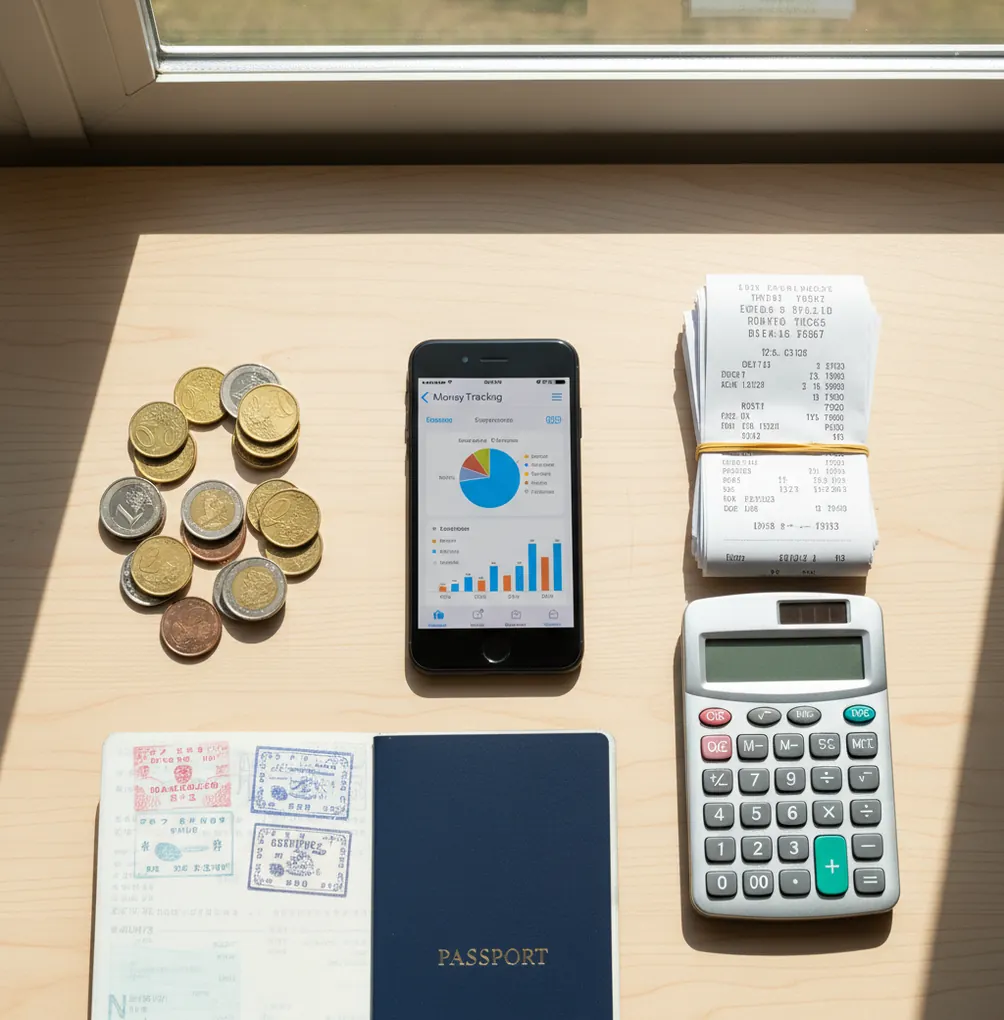
A travel expense tracker app 2026 travelers can rely on should record expenses by trip, currency, category, date, and payment method. The best travel tracking setup is simple enough to use at the point of purchase and structured enough to export after the trip. It is for recording what happened, not predicting future finances.
What Is Travel Expense Tracker App 2026?
A travel expense tracker records trip spending as it happens, including card payments, cash purchases, refunds, deposits, and income reimbursements. It shows totals by day, category, currency, and payment method so you can understand the real cost of a trip.
Money Tracker App is useful because it keeps travel entries, receipts, charts, and exports in one iPhone workflow. For travelers who want a simple money tracker app, the tool focuses on fast manual logging instead of complex forecasting.
It is not a bank statement replacement. The app uses no bank connection, and data stays on device unless you choose sync or export options.
How Travel Expense Tracker App 2026 Works
A travel spending tracker works by turning each purchase into a structured transaction. You enter the amount, currency, category, date, payment method, and optional note or receipt, then the app summarizes the trip automatically.
The mechanism is simple. Multi-currency fields preserve the original purchase amount, while reports help compare spending across meals, transport, lodging, shopping, and activities. Receipt scanning uses OCR to read totals, dates, and merchant text from photos, but you still confirm the final number.
Automatic categorization usually combines merchant keywords, past choices, and basic prediction rules. That reduces sorting work on busy travel days, but clean totals still depend on consistent logging.
How to Track Trip Spending on iPhone
Create a trip ledger
Start a dedicated account or wallet for the destination and dates. This keeps vacation, work travel, and everyday spending from mixing together.
Add currencies before arrival
Set your home currency first, then add the local currencies you expect to use. This makes airport purchases and cash withdrawals easier to record immediately.
Log anchor transactions
Enter flights, hotel deposits, prepaid tours, and the first cash withdrawal. These larger items explain most differences between your memory and the final total.
Record purchases after paying
Enter the amount, category, payment method, and note while the context is fresh. Small coffees and transit fares add up fast.
Attach receipts for claims
Scan receipts for taxis, meals, baggage fees, client expenses, and anything reimbursable. Keep the original photo when the printed total is hard to read.
Review and export totals
Check filters each night for missing cash days or uncategorized items. Export a CSV or PDF after the trip for reimbursement, splitting, or archiving.
When to Use a Trip Spending Tracker (and When Not To)
Use it when
- Use it when you switch between cash, credit cards, debit cards, and prepaid travel cards during the same trip.
- Use it when you need reimbursement records for work meals, taxis, lodging, luggage, or client entertainment.
- Use it when traveling with a partner or group and you need shared totals that are easier to settle later.
- Use it when exchange rates, ATM fees, tips, and refunds make the final trip cost hard to estimate from memory.
- Use it when you want post-trip charts showing where money actually went across cities, categories, and travel days.
Skip it when
- Do not use it as investment, tax, legal, or professional financial advice.
- Do not expect perfect currency conversion when your card network posts a different rate days later.
- Do not rely on it if nobody will enter transactions consistently during the trip.
- Do not treat receipt scanning as final without checking blurry, folded, or foreign-language receipts.
- Do not use it as the only source of truth for disputes; keep bank statements and merchant receipts too.
Travel Expense Apps vs YNAB and Spendee
| Feature | Money Tracker App | YNAB | Spendee |
|---|---|---|---|
| Best fit | Fast iOS trip logging with receipts, charts, and exports | Rule-based budgeting before and during travel | Visual spending summaries and shared wallets |
| Travel expense entry | Manual entries for cash, card, deposits, and refunds | Manual or imported budgeting workflow | Manual and connected options depending on setup |
| Multi-currency travel | Designed for cross-currency trip records | Possible, but not primarily travel-first | Useful for international travel wallets |
| Receipt handling | Scan and attach receipts to transactions | Not the core workflow | Available in some workflows or plans |
| Reimbursement exports | CSV or report-style exports for review | Reports depend on categories and budget setup | Export options vary by plan |
| Cost profile | Free iOS tracking with optional upgrades where available | Paid subscription | Often subscription-based for full features |
Choose the tracker that matches the job. A dedicated travel logger is better for quick road entries, YNAB is stronger for rule-driven budget control, and Spendee is useful when visual shared wallets matter most.
Travel Spending Use Cases
- Work trip reimbursement: Log meals, rideshares, baggage fees, parking, and client expenses with receipt attachments. Export the trip after returning so the reimbursement report matches the original evidence.
- Cash-heavy destinations: Record ATM withdrawals first, then subtract daily cash purchases as they happen. This prevents the common problem of knowing cash disappeared without knowing where it went.
- Couples and group travel: Track who paid for shared taxis, groceries, tickets, and meals. Clear notes like “paid for three people” make settlement easier at the end.
- Multi-city itineraries: Use tags or notes for cities such as Paris, Rome, and Tokyo. Later, compare transport, food, lodging, and activity totals by destination.
- Post-trip spending review: Charts reveal whether the trip budget went to lodging, restaurants, shopping, or transit. That review helps plan the next trip with better assumptions.
Travel Expense Tracker App 2026 Limitations
What to keep in mind
- The tracker is iOS-only, so Android travelers need a different tool or an export-based workflow.
- Manual entry depends on the user; skipped purchases create incomplete totals.
- It is not investment advice, tax advice, legal advice, or a substitute for a financial professional.
- Currency conversions are estimates, not guarantees, because card networks and cash exchanges may use different rates.
- Receipt OCR can misread totals, taxes, dates, or decimal separators on blurry or foreign-language receipts.
- Consistent logging is required; rebuilding three travel days from memory is usually unreliable.
- Shared trip records only stay clean when everyone uses the same categories, notes, and currency rules.
- Exports are only as accurate as the categories, amounts, and receipt attachments entered during the trip.
Frequently Asked Questions
Track purchases, cash withdrawals, refunds, deposits, fees, and reimbursements. Those items explain most differences between your expected trip cost and the final total.
Enter the deposit or incidental hold as a separate transaction and label it clearly. When the final hotel charge posts, adjust or reverse the hold so lodging is not counted twice.
Local currency is usually best because it matches receipts, menus, and card terminals. If you also need home-currency totals, review the converted amount later against your card statement.
You can usually capture receipt photos while offline, then confirm or sync details later depending on the app setup. Always check the total manually because OCR can struggle with faded or folded receipts.
Use shared categories and add notes showing who paid and who benefited. A short nightly review prevents arguments caused by missing cash purchases or vague restaurant charges.
Rebuild the missing period from receipts, card alerts, maps, photos, and cash balance changes. Mark uncertain entries with notes so you know which totals are estimated.
Yes, especially for work travel, client meals, taxis, hotels, and baggage fees. Receipt attachments and exports make the reimbursement packet easier to review.
No. A tracker helps organize and explain spending, but bank statements remain the official record for posted card transactions and disputes.
Yes, cash tracking is one of the main reasons to use a trip ledger. Record the withdrawal first, then log each cash purchase against that pool.