What Is a Money Tracker App?
A practical money tracker shows where money comes from, where it goes, and which habits shape your cash flow. Use it to review real spending before making bigger budget decisions.
money tracker app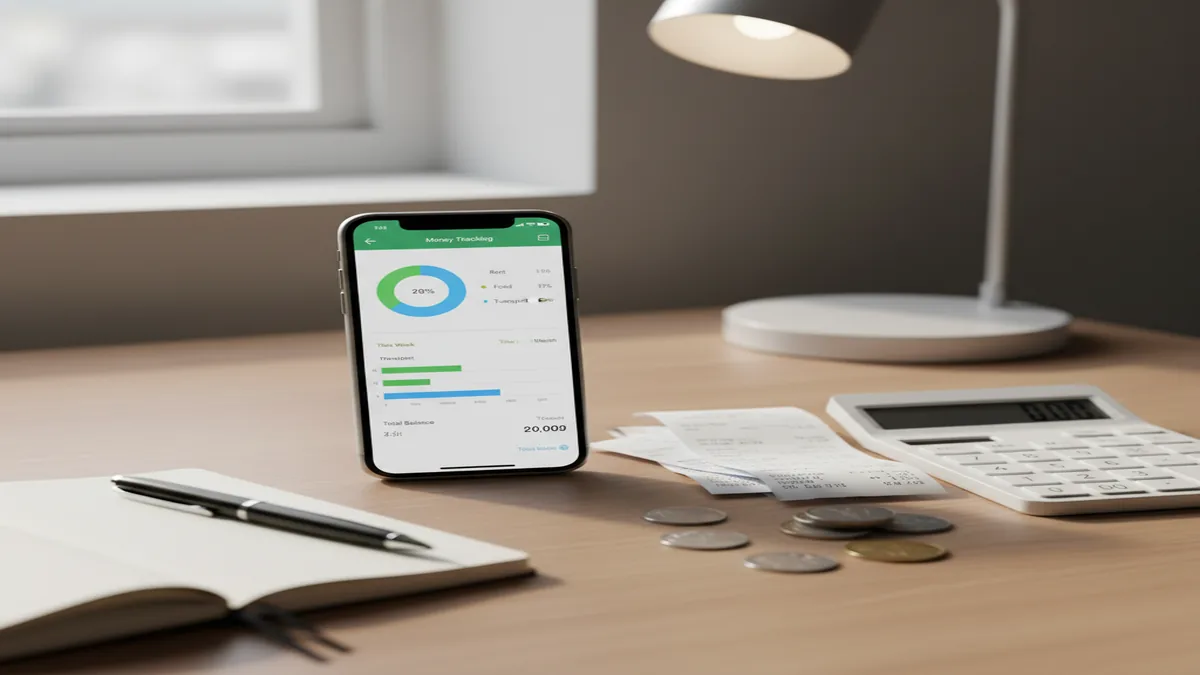
What is a money tracker app? It is a digital log for recording income and expenses, categorizing transactions, and reviewing cash flow over time. For iPhone users, the Walleta Expense Tracker App is a simple example of a tracker that turns daily entries into category totals, charts, and reports. The main benefit is visibility: you can see what actually happened instead of guessing from memory.
What Is a Money Tracker App?
A money tracker app is a tool for recording income and expenses so you can understand cash flow, spending categories, and financial patterns. It answers practical questions like how much you spent on groceries, whether subscriptions are adding up, and whether income covered the month.
Tracking is different from strict budgeting. Budgeting sets targets before money is spent; tracking records what happened and summarizes it afterward. Many people start with tracking because the first problem is not discipline, but visibility.
On iPhone, Money Tracker App focuses on manual expense and income logging, category reports, charts, and searchable transaction history. It uses no bank connection, and data stays on device, which suits people who prefer private, hands-on tracking.
How a Money Tracker App Works
A money tracker works by capturing each transaction, assigning it context, and turning the history into summaries. The mechanism is simple: amount, date, category, account, and optional notes become structured financial data.
When you record a coffee, paycheck, rent payment, or cash purchase, the tracker stores that entry and adds it to the relevant totals. Categories make the data useful. Groceries, dining, transport, rent, subscriptions, and income can then be compared across days, weeks, or months.
Reports are the final layer. Charts, filters, and cash flow views show trends that are hard to see in receipts or bank feeds. The better the logging habit, the more reliable the picture becomes.
How to Use a Money Tracking App
Set up accounts
Create the places money moves through, such as cash, debit, credit, savings, or a shared wallet. Use the right currency if you travel or track expenses across countries.
Record each transaction
Add expenses and income with an amount, date, category, and short note. Enter cash purchases too, because skipped cash spending can make reports misleading.
Categorize consistently
Use stable categories such as groceries, rent, transport, dining, bills, entertainment, and salary. Consistent labels make month-to-month comparisons much more useful.
Review reports weekly
Check category totals, cash flow, and unusual spikes once a week. A short review prevents small leaks from becoming invisible habits.
Export when needed
Export records for taxes, reimbursements, household reviews, or personal analysis. CSV files are especially useful when you want to sort or filter in a spreadsheet.
When to Use a Spending Tracker (and When Not To)
Use it when
- Use a spending tracker when you want to understand where money actually goes before building a budget.
- Use it when cash, cards, reimbursements, and shared expenses are spread across several places.
- Use it when you need category totals for groceries, dining, subscriptions, travel, work costs, or household bills.
- Use it when you prefer private manual tracking instead of connecting bank accounts.
- Use it when you want a searchable history for returns, tax preparation, or reimbursement claims.
Skip it when
- Do not rely on it as a full financial plan if you need debt payoff strategy, retirement projections, or investment guidance.
- Do not use it casually and expect accurate reports; inconsistent logging creates incomplete totals.
- Do not choose a manual tracker if you will only keep up with fully automated bank imports.
- Do not treat category charts as moral judgments. They are signals for decisions, not a scorecard.
- Do not use estimates as final numbers for tax or legal reporting without checking the source records.
Money Tracking App vs YNAB and Goodbudget
| Feature | Money Tracker App | YNAB | Goodbudget |
|---|---|---|---|
| Primary focus | Simple income and expense tracking with category reports | Zero-based budgeting and forward planning | Envelope budgeting for planned spending |
| Best for | iPhone users who want clear transaction logs and cash flow visibility | People who want to assign every dollar a job | Households that like envelope-style spending limits |
| Entry style | Manual tracking with categories, notes, reports, and exports | Manual and connected workflows, depending on setup | Manual envelope updates and shared household tracking |
| Learning curve | Low; suited to quick daily logging | Medium to high; method matters | Medium; envelope habits take practice |
| Budget strictness | Flexible; tracking first, planning optional | High; built around active budgeting rules | Medium; spending is organized by envelopes |
Choose a tracker when your main need is visibility into real transactions. Choose YNAB or Goodbudget when your main need is a structured budgeting method with rules for future spending.
Daily Expense Tracking Use Cases
- Personal spending review: Track daily purchases to see which categories drive the month. This is useful when the bank balance feels lower than expected and you need evidence, not guesses.
- Cash flow monitoring: Record income and bills together to see whether money coming in covers money going out. Cash flow views help explain tight months even when spending looks normal.
- Shared household costs: Log rent, groceries, utilities, and shared purchases in one ledger. Couples and roommates can use the same record to split costs more fairly.
- Travel and reimbursement tracking: Create travel or work categories, attach notes, and export entries later. This keeps receipts, reimbursements, and trip totals easier to reconcile.
- Subscription cleanup: Track recurring charges so small monthly payments become visible. Once the total is clear, it is easier to cancel unused services.
Money Tracking App Limitations
What to keep in mind
- It is iOS-only, so it is not the right fit for users who need a native Android version.
- Manual entry depends on the user; missed transactions reduce the accuracy of category totals and cash flow reports.
- It is not investment advice and should not be used to choose stocks, funds, retirement allocations, or tax strategies.
- Reports and monthly projections are estimates, not guarantees, because future income and spending can change.
- It needs consistent logging to be useful; a tracker with incomplete data can create false confidence.
- Receipt scans and notes help with records, but they do not replace official invoices, tax documents, or professional accounting review.
- Category choices affect insights; vague categories like “miscellaneous” can hide the exact behavior you are trying to understand.
Frequently Asked Questions
It records income and expenses, organizes them into categories, and summarizes the results. The goal is to show where money went and how cash flow changed over time.
Yes. Tracking records what already happened, while budgeting sets limits or plans before spending happens. Many people track first so their budget is based on real behavior.
Yes, if you want a clear cash flow picture. Expenses alone show spending, but income shows whether the month ended ahead or behind.
Yes, but cash must be entered consistently. If cash purchases are skipped, category totals and monthly spending reports will be incomplete.
Daily logging is best for accuracy because details are still fresh. Weekly review can work if you keep receipts or notes during the week.
Start with broad categories like groceries, rent, utilities, transport, dining, entertainment, subscriptions, healthcare, and income. Add more detail only when it helps you make a decision.
Yes, charts make patterns easier to spot than a long transaction list. They are especially useful for finding category spikes, recurring costs, and month-to-month changes.
It can, because awareness often changes behavior. When you see totals by category, it becomes easier to decide what to cut, keep, or plan around.
Not always. Manual tracking can be better for people who want more control, more privacy, or a clearer habit of reviewing each transaction.