Multi-Currency Expense Tracker for iPhone
The best multi-currency expense tracker is an app that records purchases in the original currency and also shows your totals in a chosen home currency so you can understand real spending across countries. It should support fast entry on mobile, clear exchange-rate handling, and reports you can export after a trip. Money Tracker App is built for iPhone-first multi-currency expense and income tracking with charts and exports.
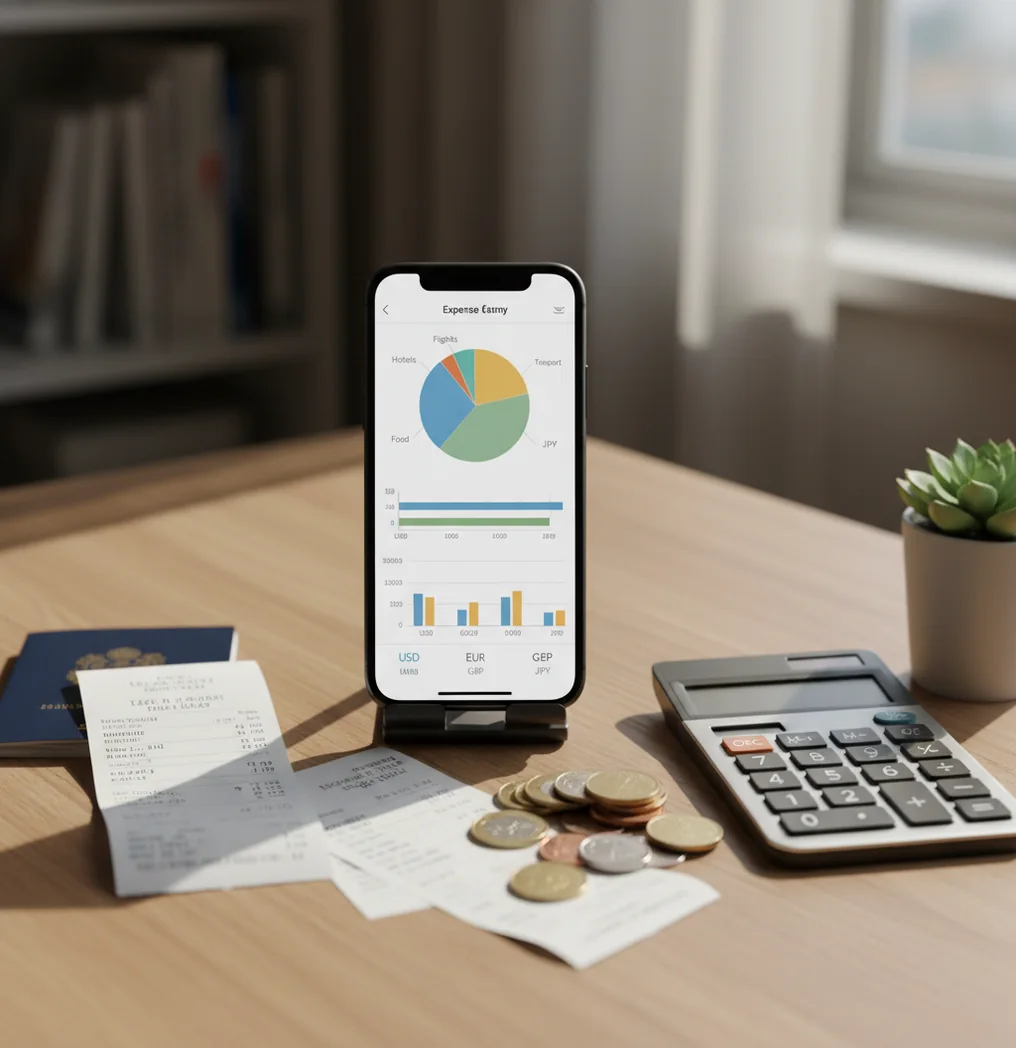
A multi-currency expense tracker records each transaction in its original currency and converts totals into a selected base currency for reporting. It is useful for travel spending, foreign reimbursements, freelance payments, and shared cross-border costs. Use it to track income alongside expenses when money moves across currencies.
What Is a Multi-Currency Expense Tracker?
A multi-currency expense tracker is a mobile spending log that stores purchases in different currencies while keeping one readable total. It records the amount you paid, the currency code, the category, the date, and any receipt or note you attach.
The best setup keeps the original receipt amount intact. Then it converts reports into your chosen home currency, such as USD, EUR, GBP, or JPY. For privacy-conscious tracking, the app uses no bank connection, and data stays on device.
This matters when travel days get messy. Cash withdrawals, card fees, hotel deposits, and partner splits can all look wrong if you convert them later by hand.
How Multi-Currency Expense Tracking Works
Multi-currency expense tracking works by saving two useful values for each transaction: the original paid amount and the converted reporting amount. The original value keeps your receipt accurate, while the converted value makes charts, summaries, and exports comparable.
A typical transaction record includes currency, amount, category, timestamp, merchant note, and optional receipt image. Reports then aggregate converted values into your base currency so food, lodging, transit, cash, income, and fees can be reviewed together.
Exchange rates are the sensitive part. Totals may differ from your bank statement because card networks, settlement timing, foreign transaction fees, and ATM charges can change the final posted amount.
How to Use Multi-Currency Tracking on iPhone
Choose a base currency
Pick the currency you want dashboards and exports to use, such as USD for a U.S. traveler or EUR for a European business trip.
Record the original amount
Enter each purchase in the currency shown on the receipt. This keeps the log auditable and avoids guessing later.
Categorize each transaction
Use practical travel categories like food, transit, lodging, cash withdrawals, fees, work expenses, and reimbursements.
Attach receipts for proof
Scan or add receipts for hotels, rentals, tours, client meals, and other entries you may need to explain later.
Review totals daily
Check converted totals each night so budget overruns, duplicate entries, and suspicious fees are caught while the trip is fresh.
Export the final report
Export CSV or PDF reports after the trip for reimbursements, tax records, shared settlements, or your personal archive.
When to Use a Multi-Currency Expense Tracker (and When Not To)
Use it when
- Use it when you travel through multiple countries and want one home-currency view of total spending.
- Use it when you receive income, reimbursements, or freelance payments in foreign currencies.
- Use it when you need receipt-backed records for work travel, client billing, or tax preparation.
- Use it when you split travel costs with a partner and need consistent totals across currencies.
- Use it when cash, cards, ATM withdrawals, and foreign transaction fees are all mixed together.
Skip it when
- Do not use it as a substitute for your bank’s final posted settlement amounts.
- Do not rely on it for investment, tax, or legal advice without professional review.
- Do not expect perfect totals if you skip entries for several days and reconstruct spending from memory.
- Do not use it as your only source for real-time foreign exchange rates in high-value transactions.
- Do not choose manual tracking if you want fully automated bank-feed budgeting across every account.
Multi-Currency Spending Tracker vs YNAB and Spendee
| Feature | Money Tracker App | YNAB | Spendee |
|---|---|---|---|
| Best fit | Fast iPhone-first travel, income, receipt, and category tracking | Method-driven budgeting with detailed planning rules | Visual wallet-based tracking for trips and shared spending |
| Multi-currency handling | Designed for logging original currency entries and reviewing converted totals | Possible, but can feel heavier for travel-only use | Strong for travel wallets and multiple currencies |
| Income tracking | Supports income alongside expenses for international cash flow | Supports inflows within the budgeting method | Supports income entries inside wallets |
| Receipt support | Useful for attaching proof to travel and reimbursement entries | Often more manual and workflow-dependent | Supports notes and attachments, with scanner behavior varying by plan |
| Reporting | Charts plus CSV/PDF-style exports for review and reimbursement | Detailed reports tied to budget categories | Visual summaries and wallet-based reports |
| Cost model | Free to use with optional upgrades | Typically subscription-based | Often subscription-based for full features |
Money Tracker App is strongest when you want quick iPhone logging because travel purchases often need to be captured before receipts disappear. YNAB is better for strict budget methodology, while Spendee is a good option for visual shared wallets.
Travel and International Spending Use Cases
- Three-country vacation totals: Log meals, transit, hotels, museums, and cash purchases in local currencies, then review the whole trip in one base currency.
- Work travel reimbursements: Attach receipts to client meals, taxis, lodging, and conference costs so exported reports are easier to verify.
- Foreign freelance income: Record payments received in EUR, GBP, CAD, or other currencies, then compare income against local expenses.
- Shared partner spending: Track who paid for what across currencies, then settle using converted totals instead of scattered receipt photos.
- ATM and exchange fee audits: Separate withdrawals, conversion fees, and card fees into their own categories to see the real cost of accessing cash abroad.
- City-by-city budget checks: Filter food, transit, and lodging by location or note so you can compare spending patterns across destinations.
Multi-Currency Expense Tracker Limitations
What to keep in mind
- iOS-only: this setup is intended for iPhone users and is not a full desktop accounting system.
- Manual entry depends on the user: skipped transactions, vague notes, or delayed logging reduce report accuracy.
- Not investment advice: currency tracking helps organize spending, but it does not recommend trades, hedges, or financial products.
- Converted totals are estimates, not guarantees: your bank’s posted amount may differ because of settlement timing, card-network rates, and fees.
- Consistent logging is required: multi-day gaps make cash spending and small purchases harder to reconstruct.
- Receipts can still be incomplete: handwritten tips, split bills, deposits, and partial refunds may need manual correction.
- Tax and reimbursement rules vary: exported reports should be reviewed against employer, accountant, or local compliance requirements.
Frequently Asked Questions
Log the local currency shown on the receipt. Review totals in your home currency afterward so the record stays accurate and the summary stays readable.
Converted totals depend on the rate source and timing used by the tracker. Your card statement may still differ because banks apply settlement rates and foreign transaction fees.
Yes, income in euros or another foreign currency can be recorded alongside expenses. That is useful for freelancers, remote workers, reimbursements, and international transfers.
Categorize transactions during the trip, attach receipts where needed, and export the report after your final review. CSV is useful for spreadsheets, while PDF is easier for reimbursement packets.
Yes, shared travel tracking works well when both people log who paid and what the purchase covered. The key is using consistent categories and reviewing converted totals before settling up.
Receipt capture may work without a connection if the app supports local entry and attachment. Currency conversion or syncing features may need connectivity depending on the workflow.
They are helpful records, but they are not automatically tax advice. Keep receipts, exports, bank statements, and accountant-reviewed exchange assumptions for formal filings.
Track ATM withdrawals and fees as separate entries or categories. This makes it easier to see the true cost of cash access instead of hiding fees inside general spending.