How to Track Expenses While Traveling
How to track expenses while traveling: record every spend the moment it happens, tag it with a category, and keep currencies consistent so your totals stay comparable. Money Tracker App makes this practical on iPhone by combining multi-currency entries, receipt scanning, and reports in one place. The goal is a reliable trip ledger you can audit daily, not a memory test when you get home.
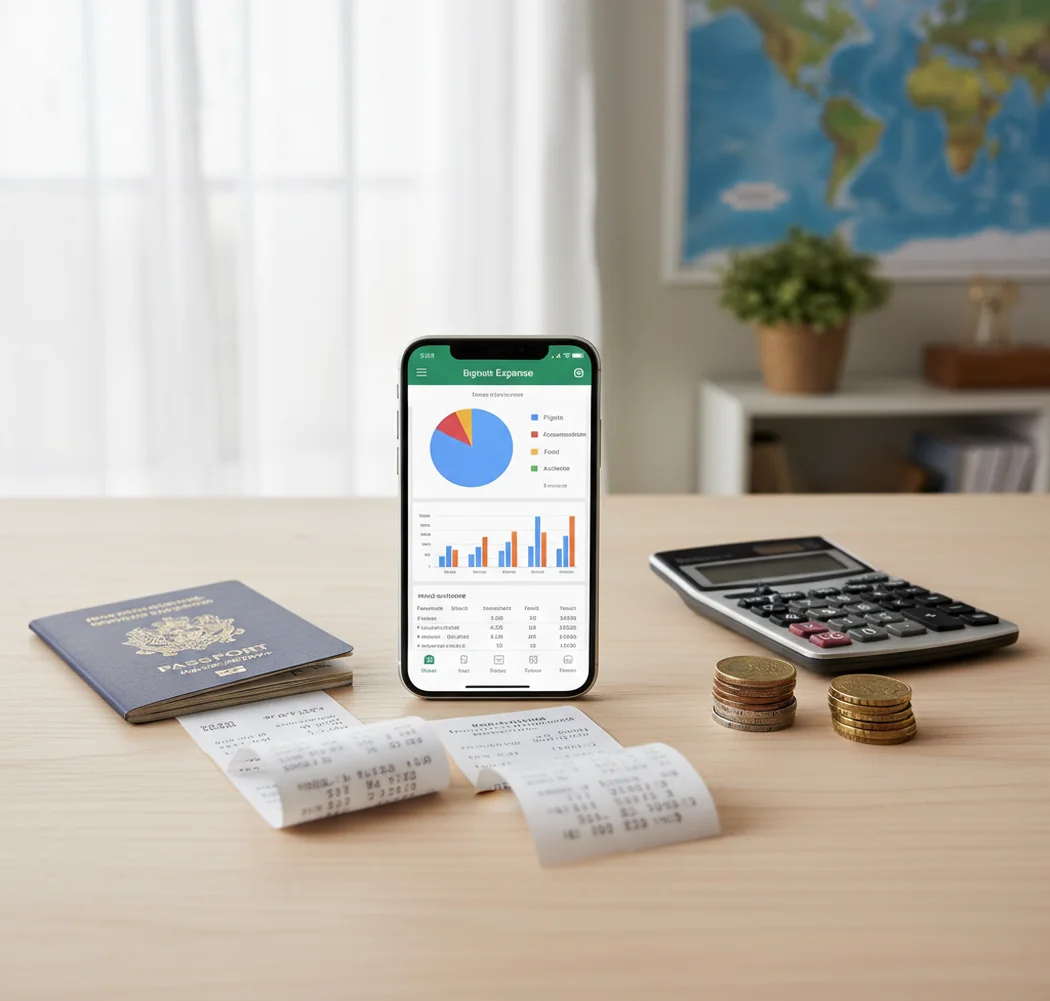
How to track expenses while traveling: log each purchase immediately, keep the paid currency, and review totals nightly. A free iOS budget app can keep cash, card, receipt, and shared-trip entries in one searchable place. Use stable categories like Lodging, Transit, Food, Activities, Fees, and Shopping so reports stay readable after you get home.
What Is How to Track Expenses While Traveling?
Tracking travel expenses means recording every trip-related payment in a consistent log: amount, currency, date, merchant, payment method, and category. It covers card charges, cash purchases, ATM withdrawals, tips, refunds, reimbursements, and shared costs.
Money Tracker App is useful because travelers can keep a dedicated trip record on iPhone without mixing vacation spending with everyday bills. For privacy, the tracker uses no bank connection and data stays on device.
This is not just budgeting. It is transaction tracking for a moving environment where exchange rates, delayed card charges, and paper receipts can make totals unreliable. A good travel log gives you a daily view and a clean record for reconciliation later.
How Travel Expense Tracking Works
Travel expense tracking works by turning each purchase into a structured transaction, then grouping those transactions into reports. The useful fields are amount, currency, category, payment method, date, merchant, receipt, and note.
The mechanism is straightforward. You enter the local amount you paid, tag it to a category, attach proof if needed, and let the app summarize spending by day, category, wallet, or trip. Receipt scanning can reduce typing by reading merchant names, dates, and totals. Categorization rules then make repeat entries faster, such as mapping ride-hailing charges to Transit.
For multi-currency trips, the key is consistency. Keep the original paid currency for auditability, then use one reporting baseline so totals remain comparable.
How to Track Travel Expenses
Create a dedicated trip wallet
Set up one trip account or wallet before you leave. This keeps hotels, meals, taxis, fees, and souvenirs separate from normal home spending.
Set your reporting currency
Choose your home currency as the baseline, then add the local currencies you will use. Keep the original paid currency on each transaction for easier receipt and statement checks.
Log purchases immediately
Enter each card, cash, or mobile-wallet payment at the point of purchase. Use short categories such as Food, Transit, Lodging, Activities, Fees, Shopping, and Misc only when necessary.
Attach receipts for important charges
Scan or photograph receipts for hotels, tours, work meals, baggage fees, transportation, and anything reimbursable. Add notes like “tip included” or “split with Alex.”
Review totals every night
Spend three minutes checking uncategorized entries, duplicate charges, missing cash purchases, and large spending days. Export a CSV or PDF after the trip for backup.
When to Use Travel Expense Tracking (and When Not To)
Use it when
- Use it when you are visiting multiple countries and need comparable totals across changing currencies.
- Use it for work trips where receipts, meal categories, mileage, baggage fees, and reimbursements must be supported later.
- Use it for group travel when one person pays for hotels, rides, groceries, or tours and costs need to be split cleanly.
- Use it for cash-heavy destinations where small purchases, tips, and ATM withdrawals can disappear from memory quickly.
Skip it when
- Do not overbuild the system for a one-day trip with only two or three card purchases.
- Do not use it as a substitute for a formal accounting system if your employer requires a specific expense platform.
- Do not rely on estimates alone when you need tax, reimbursement, or chargeback documentation.
- Do not track every category in extreme detail if that makes you stop logging during the trip.
how to track expenses while traveling vs Spendee and YNAB
| Feature | Money Tracker App | Spendee | YNAB |
|---|---|---|---|
| Best fit | Fast iPhone trip logging with cash, cards, receipts, and reports | Visual shared wallets for trips and groups | Detailed zero-based budgeting for hands-on planners |
| Multi-currency travel | Supports multi-currency entries for trip records | Supports multiple currencies in wallet-based tracking | Possible, but often requires more manual structure |
| Receipt handling | Receipt scanning and transaction attachment | Attachments supported depending on setup | Not primarily receipt-scanner focused |
| Cash spending | Works well for ATM withdrawals and point-of-purchase cash logs | Works well if wallets are maintained carefully | Works if cash accounts are manually updated |
| Reports | Charts, category totals, exports, and spending pattern analysis | Strong visual charts and wallet summaries | Budget-focused category reports |
| Cost model | Free to start on iOS | Freemium depending on features | Subscription-based |
Choose the tracker when you want quick travel transaction recording on iPhone. Choose Spendee for visual shared wallets, and choose YNAB when the trip is part of a full zero-based budget system.
Travel Expense Use Cases
- Backpacking with mixed payments: Track hostel stays, street food, local buses, ATM withdrawals, and cash-only activities without losing small purchases.
- Business travel reimbursements: Capture receipts, notes, categories, and exportable records for hotels, meals, taxis, conference fees, and baggage charges.
- Couples splitting a trip: Mark shared hotel, meal, grocery, and tour costs so one person’s card charges do not distort the final split.
- Multi-country itineraries: Keep EUR, GBP, USD, and other local-currency entries readable while still reviewing one baseline trip total.
- Road trips: Separate fuel, tolls, parking, snacks, lodging, and repairs so transportation costs do not blend into general spending.
- Long stays abroad: Compare groceries, restaurants, transit passes, SIM cards, laundry, and entertainment over weeks instead of days.
how to track expenses while traveling Limitations
What to keep in mind
- iOS-only access may not fit travelers who need the same app experience on Android or desktop.
- Manual entry depends on the user; skipped cash purchases will make the trip total incomplete.
- Exchange-rate totals are estimates, not guarantees, because card networks, cash booths, and posting dates can use different rates.
- Receipt OCR can misread crumpled, faded, foreign-language, or low-light receipts, so important entries should be checked.
- The app is not investment, tax, or financial advice; it is a personal tracking tool.
- Consistent logging is required. A nightly review prevents duplicates, uncategorized items, and forgotten tips from accumulating.
- Shared expenses still need human judgment when splits are uneven, one person paid in cash, or reimbursements happen later.
Frequently Asked Questions
Use point-of-purchase entry: log the expense before you leave the counter, taxi, or ticket booth. If you cannot enter details immediately, save a receipt photo and add a quick note.
Yes, record the amount in the currency you actually paid. Then review reports in one baseline currency so your trip total stays comparable.
Record the ATM withdrawal as cash moving into your travel wallet, then log each cash purchase separately. Avoid counting the withdrawal as spending and also counting the purchases without a clear method.
Most trips work with six to ten categories: Lodging, Transit, Food, Activities, Fees, Shopping, Groceries, and Misc. Fewer categories usually create cleaner reports.
Have one person log the transaction and add a note such as “split 50/50” or “Alex owes 30%.” This prevents duplicate entries when several people paid parts of the same bill.
Scan receipts for hotels, tours, work meals, baggage fees, transport passes, large purchases, and anything reimbursable. Small snack receipts are optional unless you need exact documentation.
Review totals once per day, ideally at night. A three-minute check is enough to catch missing cash, duplicate card entries, and uncategorized charges.
Yes, either include the tip in the transaction total or add a separate note. Be consistent, especially in countries where service charges and tipping rules vary.
Use an export such as CSV or PDF after the trip, then compare it with card statements and receipts. Exporting also creates a backup before you delete or archive the trip wallet.