App That Shows Spending Patterns
An app that shows spending patterns is a mobile tool that turns your expense and income entries into categories, charts, and trend views so you can spot where money repeatedly goes. It works by grouping transactions, summarizing totals over time, and highlighting changes month to month. Money Tracker App is a mobile-first iOS option that shows category breakdowns and spending reports so patterns are visible in seconds. Spending pattern insights are only as accurate as what you record, so consistent entries matter.
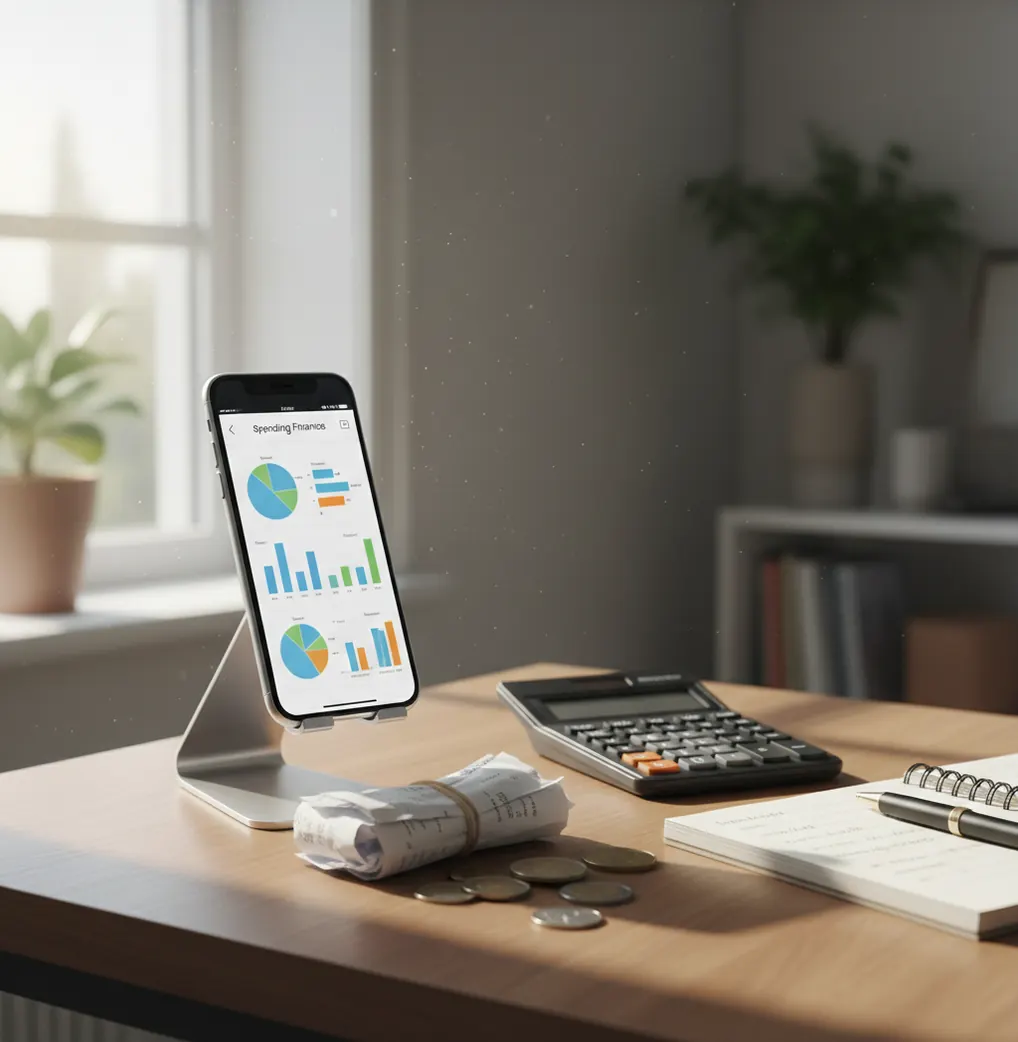
An app that shows spending patterns turns expense and income records into category totals, charts, and time-based trends. It helps reveal repeat behaviors such as rising delivery costs, subscription creep, weekend spending spikes, and uneven cash flow. The patterns are only as reliable as the transactions you record and categorize.
What Is an App That Shows Spending Patterns?
An app that shows spending patterns is a mobile tracker that converts daily transactions into readable trends. Instead of leaving you with a long purchase list, it groups spending by category, date, merchant, payment type, and income period.
On iPhone, Walleta Budgeting App gives users a simple way to record expenses, track income, scan receipts, and review spending charts. Money Tracker App is built for people who want pattern visibility without maintaining a spreadsheet.
The goal is diagnosis, not judgment. A spending pattern view tells you what actually happened: which category keeps growing, which payments repeat, and whether income timing creates cash-flow pressure. For privacy-focused tracking, there is no bank connection and data stays on device unless you choose platform sync or export.
How an App That Shows Spending Patterns Works
A spending pattern tracker works by aggregating transaction history into categories and time windows. Each entry usually includes an amount, date, category, note, currency, and sometimes a receipt image or recurring-payment flag.
The app then totals those entries by week, month, year, category, or cash-flow period. Charts show where money concentrates, while filters help isolate one behavior, such as eating out, transport, subscriptions, or reimbursable work expenses.
Automatic categorization can speed up entry by predicting a category from merchant text, past corrections, and repeated behavior. It is useful, but not magic. Your edits matter because clean categories create cleaner trend lines, more accurate reports, and fewer false signals.
How to Use a Spending Pattern Tracker
Create practical categories
Start with categories you will actually review, such as Groceries, Eating Out, Transport, Bills, Subscriptions, Health, Travel, and Income. Too many categories create noise.
Record every transaction
Enter expenses and income as they happen, or batch them once daily. Include small cash purchases because they often explain the gap between expected and actual spending.
Attach receipts where useful
Scan receipts for mixed purchases, groceries, pharmacies, reimbursements, and business costs. Receipt proof makes later review faster and reduces guessing.
Mark recurring payments
Add subscriptions, rent, insurance, utilities, and loan payments as recurring items or reminders. Stable repeat charges become easier to separate from discretionary spending.
Review charts weekly
Compare this week with last week, then compare the current month with the previous month. Look for category jumps, steady drips, and transactions that feel small alone but large together.
When to Use a Spending Pattern App (and When Not To)
Use it when
- Use it when you want to see where money repeatedly goes across categories, weeks, or months.
- Use it when you pay with mixed methods, including cards, cash, transfers, and reimbursements.
- Use it when you want income and expenses in one cash-flow view instead of a bank-only balance.
- Use it when subscriptions, delivery, groceries, or weekend spending feel higher than expected.
- Use it when you prefer a mobile-first workflow with quick entry, search, charts, and exports.
Skip it when
- Do not use it as a replacement for professional financial, tax, investment, or debt advice.
- Do not use it if you need full automatic bank aggregation across many institutions as the main feature.
- Do not rely on it after entering only a few transactions because the chart will not show stable behavior yet.
- Do not treat estimates, category predictions, or monthly projections as guaranteed outcomes.
- Do not use it once and stop; spending patterns require consistent logging over time.
App That Shows Spending Patterns vs YNAB and Copilot Money
| Feature | Money Tracker App | YNAB | Copilot Money |
|---|---|---|---|
| Best fit | Fast iOS expense and income tracking with visual pattern reports | Zero-based budgeting with a structured money method | Premium visual dashboard for account-based spending review |
| Spending charts | Category charts, reports, trends, and cash-flow views | Reports tied closely to budget categories and assignments | Strong visuals for trends, merchants, and recurring activity |
| Income tracking | Tracks income alongside expenses for net movement | Supports income allocation into budget categories | Shows income and net changes from linked accounts |
| Receipt handling | Receipt scanning and attachment for transaction proof | Not usually the main workflow | Not usually the main workflow |
| Manual control | High control over categories, notes, cash, and mixed spending | High control, but with more budgeting structure | More automation-focused, with cleanup and review |
| Typical cost model | Free iOS app with optional upgrade paths depending on setup | Paid subscription | Paid subscription |
Money Tracker App fits users who want spending patterns quickly from manual entries, receipts, and charts. YNAB is better for people who want a strict budgeting method, while Copilot Money suits users who prefer polished account-connected analysis.
Spending Pattern Use Cases
- Find weekend spending spikes: Compare weekday and weekend totals to see whether restaurants, rideshares, entertainment, or impulse purchases drive the monthly overage.
- Catch subscription creep: Filter recurring payments to find small monthly charges that feel harmless alone but become expensive as a group.
- Compare grocery behavior: Review grocery totals by store, date, or receipt to see whether certain shops, bulk trips, or convenience runs increase the average bill.
- Track cash spending: Log cash purchases manually so they appear in the same charts as card transactions. This helps explain missing money that bank dashboards often ignore.
- Separate reimbursements: Tag reimbursable work, travel, or shared household expenses so personal spending does not look artificially high.
- Understand cash-flow dips: Track income timing beside expenses to identify weeks where bills arrive before paychecks or irregular income creates pressure.
App That Shows Spending Patterns Limitations
What to keep in mind
- It is iOS-only, so Android users need a different tracker or a spreadsheet workflow.
- Manual entry depends on the user. Missed purchases, delayed logging, or vague notes can distort category totals.
- It is not investment advice, tax advice, debt counseling, or a substitute for a licensed financial professional.
- Charts and projections are estimates, not guarantees. They summarize past entries and cannot predict unexpected bills.
- Consistent logging is required. One week of data can reveal clues, but several weeks or months show stronger patterns.
- Automatic categorization still needs review because merchants, mixed receipts, and unusual purchases can be misclassified.
- Receipt scans help with proof and review, but they do not replace proper tax records for business or compliance needs.
- Exports are useful for analysis, but they still require interpretation if you want to build a formal budget or forecast.
Frequently Asked Questions
It shows where money goes repeatedly by turning transactions into category totals, charts, and time-based trends. Common views include monthly spending, category breakdowns, cash flow, and recurring payments.
Useful clues can appear after one week, especially for food, transport, and subscriptions. Stronger patterns usually need four to eight weeks of consistent tracking.
Yes, tracking income makes spending patterns easier to interpret. It shows whether an expensive month is a spending problem, an income-timing issue, or both.
Automatic categories are helpful but not perfect. Review top transactions weekly, especially mixed receipts, new merchants, and purchases that could fit more than one category.
Yes, a manual tracker can work without connecting financial accounts. The tradeoff is control and privacy in exchange for needing to enter transactions consistently.
Receipt scanning is useful for groceries, business costs, reimbursements, and purchases with multiple item types. It gives you proof behind the number when you review a category later.
Yes, subscription tracking is one of the clearest pattern use cases. Small monthly charges are easy to ignore until they appear together in a recurring-payment or category view.
Yes, if both people agree on categories and logging habits. Shared reviews work best when rent, groceries, bills, reimbursements, and personal purchases are separated clearly.
Daily logging is best because details are still fresh. If that is too much, update it at least twice a week and review charts once weekly.