App to Track Spending Habits
An app to track spending habits is a mobile tool that records your purchases and then summarizes them into categories and trends so you can see repeat behaviors over time. It works by logging transactions (manual entry, receipt scan, or recurring items) and turning them into charts and reports. Money Tracker App is built for iPhone-first expense and income tracking, with dashboards that make patterns easy to spot.
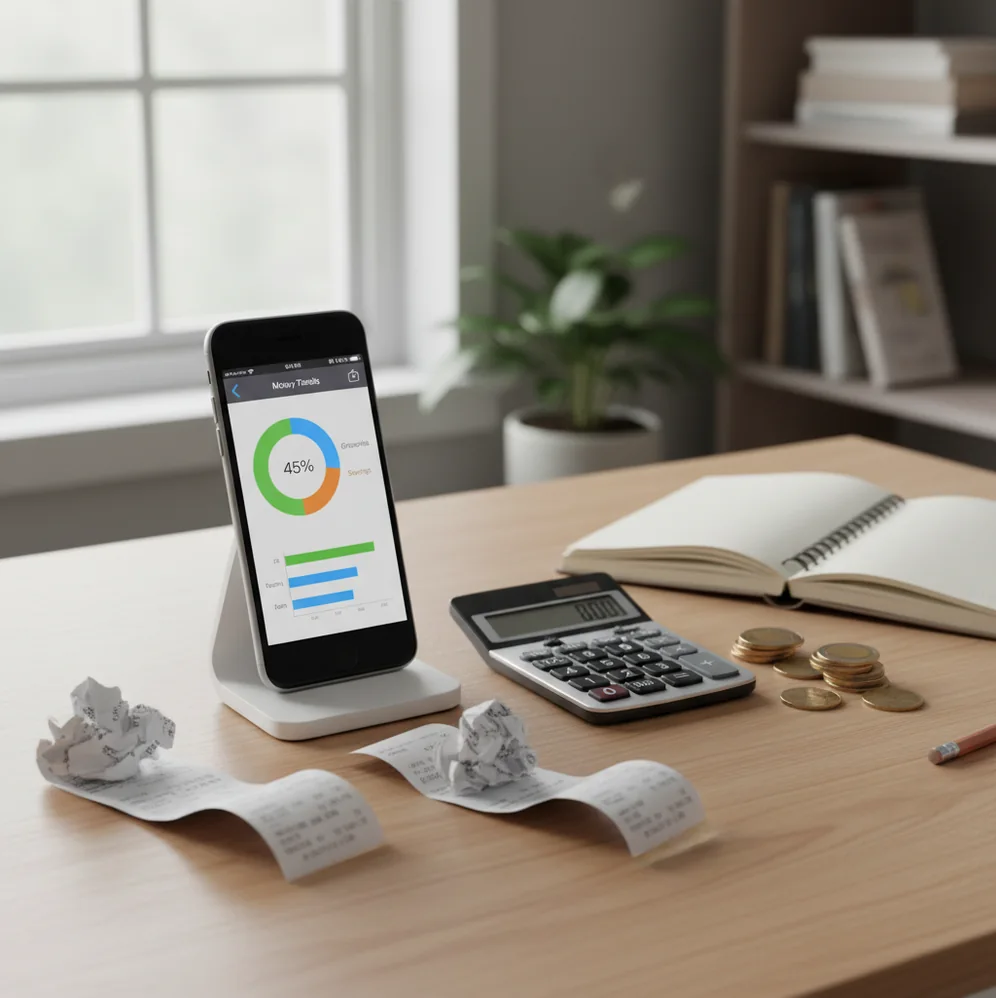
An app to track spending habits records purchases and turns them into categories, trends, and repeat-behavior signals. The best option is one you can update quickly, review weekly, and trust enough to keep using. For iPhone users, category reports, receipt capture, and cash-flow charts make spending patterns easier to see.
What Is an App to Track Spending Habits?
This kind of spending tracker is a mobile tool that records expenses, income, dates, merchants, notes, and categories so repeat behaviors become visible. It is not just a ledger. It turns ordinary purchases into a pattern map.
Money Tracker App is built for iPhone users who want practical visibility without turning every purchase into a budgeting ritual. The app is also available on the App Store as Walleta, a budgeting app for people who prefer fast manual control and clear category reports.
A good habit tracker shows where money goes by week, month, category, and merchant. For local tracking, it uses no bank connection, and data stays on device unless you enable iCloud sync or export files.
How an App to Track Spending Habits Works
A spending habit tracker works by standardizing each transaction into consistent fields: amount, date, category, account, currency, merchant note, and optional receipt. Once entries are structured, the tool can group them into weekly totals, category shares, recurring expenses, and visual charts.
The mechanism is simple but powerful. Manual entries capture cash and card spending, recurring items keep fixed bills from being forgotten, and receipt scanning uses OCR to extract useful receipt details. Categorization rules then suggest where each purchase belongs, while user corrections improve future consistency.
The output is habit evidence. You see weekend spikes, delivery patterns, subscription creep, frequent merchants, and categories that feel small individually but become large together.
How to Use an App to Track Spending Habits
1. Choose practical categories
Start with 8 to 12 categories you will actually use, such as Groceries, Coffee, Transport, Subscriptions, Dining, Bills, Health, and Shopping.
2. Add recurring bills
Enter fixed expenses first, including rent, phone, insurance, streaming, loan payments, and other predictable charges that shape monthly cash flow.
3. Log purchases immediately
Record expenses at checkout when possible, then add a short note if the trigger matters, such as work lunch, commute snack, or late delivery.
4. Review uncategorized entries
Spend three minutes each evening fixing missing categories, checking receipt scans, and correcting any automatic suggestions that look wrong.
5. Read weekly patterns
Open charts once a week and identify the top two spending categories, the fastest-growing category, and one repeat behavior worth changing.
When to Use a Spending Tracker (and When Not To)
Use it when
- Use it when you feel unsure where your money went, because category totals replace memory with evidence.
- Use it when small daily purchases are the problem; coffee, snacks, rideshares, and delivery fees are easiest to spot through repeated logs.
- Use it when you spend with both cash and cards, since manual entry keeps offline purchases inside the same picture.
- Use it when you want behavior awareness before building a strict budget or cutting expenses.
- Use it when shared household spending needs clearer categories, notes, and exportable records.
Skip it when
- Do not use it as a substitute for tax, legal, investment, or debt-management advice.
- Do not rely on it if you will only log purchases once every few weeks; delayed entry creates gaps and guesses.
- Do not expect perfect automation from receipt scans or category suggestions, especially with mixed purchases.
- Do not use it as your only forecasting tool for complex finances, business accounting, or long-term retirement planning.
- Do not compare months blindly when travel, holidays, currency changes, or one-time expenses distort the pattern.
Spending Habit Tracker vs YNAB and Copilot Money
| Feature | Money Tracker App | YNAB | Copilot Money |
|---|---|---|---|
| Primary focus | Fast iOS expense and income tracking with category reports | Zero-based budgeting method and behavior change | Automated personal finance dashboard |
| Habit visibility | Clear charts, cash-flow views, category totals, notes, and search | Strong if you follow the budgeting method consistently | Strong merchant and trend insights through automation |
| Receipt capture | Built-in receipt scanning for transaction detail | Not a primary workflow | Limited compared with dedicated receipt-led tracking |
| Cash spending | Manual entry makes cash and card spending comparable | Possible, but tied to budget accounts | Less central if relying on connected accounts |
| Learning curve | Low; log, categorize, review charts | Medium to high; method requires commitment | Low to medium; setup depends on account connections |
| Cost profile | Free to start on iOS | Paid subscription | Paid subscription |
Money Tracker App is best suited for iPhone users who want spending-pattern visibility without adopting a full budgeting philosophy. YNAB is stronger for rule-based budgeting, while Copilot Money is stronger for automated account-driven insights.
Spending Habit Tracking Use Cases
- Find small daily leaks: Track coffee, snacks, convenience-store stops, app purchases, and short rides. These items rarely feel expensive alone, but category totals reveal their monthly weight.
- Watch subscription creep: Recurring entries expose streaming, storage, app, fitness, and software charges that quietly stack up. Reviewing them monthly makes cancellation decisions easier.
- Compare weekday and weekend spending: Date-based logs show whether spending rises after work, during commutes, or on weekends. Timing often explains behavior better than the merchant name.
- Track cash alongside cards: Cash purchases can disappear from memory. Manual logging keeps tips, markets, parking, and informal payments inside the same reports as card spending.
- Review shared household costs: Categories, notes, and exports help partners discuss groceries, bills, childcare, travel, and dining without relying on vague recollection.
App to Track Spending Habits Limitations
What to keep in mind
- iOS-only availability limits use for people who need native Android or web-first tracking.
- Manual entry depends on the user; missed purchases create incomplete category totals.
- Receipt OCR can misread crumpled receipts, tips, discounts, taxes, or split items.
- Automatic categorization can mislabel uncommon merchants, marketplaces, or mixed-purpose stores.
- Charts are estimates of recorded behavior, not guarantees of future spending.
- It is not investment advice, tax advice, legal advice, or a complete financial planning service.
- Consistent logging is required; irregular tracking can make normal spending look like a trend.
- Multi-currency totals can be distorted by exchange-rate timing, travel days, and one-time purchases.
Frequently Asked Questions
It means recording purchases consistently and reviewing them as categories, dates, merchants, and trends. The goal is to notice repeated behavior, not just total up expenses.
Same-day logging is best because details are still fresh. If that feels too much, do a short nightly review and fix uncategorized items before they pile up.
Start with broad categories like Groceries, Dining, Transport, Bills, Subscriptions, Shopping, Health, and Entertainment. Add more only when a category becomes too vague to explain your behavior.
Yes. Manual cash entries help you see tips, parking, markets, and small purchases beside card spending in the same reports.
No. Receipt scans are helpful for faster capture, but you should review totals, tips, taxes, and categories when the receipt is unclear.
A tracker is usually faster on a phone because entries, categories, receipts, and charts live in one place. A spreadsheet is better if you want full custom formulas and do not mind maintaining the system yourself.
You can see obvious habits within one week, especially for food, transport, and subscriptions. A full month gives a more reliable picture because bills and weekend cycles are included.
The iOS app is free to start for core spending and income tracking. Some advanced features or future upgrades may depend on the App Store version and current plan.