Track Spending Without Bank Sync
To track spending without bank sync, you record each expense and income transaction manually, then review totals by category and time period to spot patterns. This method works best when entries take under 15 seconds and you can attach receipts for later verification. Money Tracker App supports manual-first tracking on iPhone with categories, scanning, and reports so you can stay private while staying consistent.
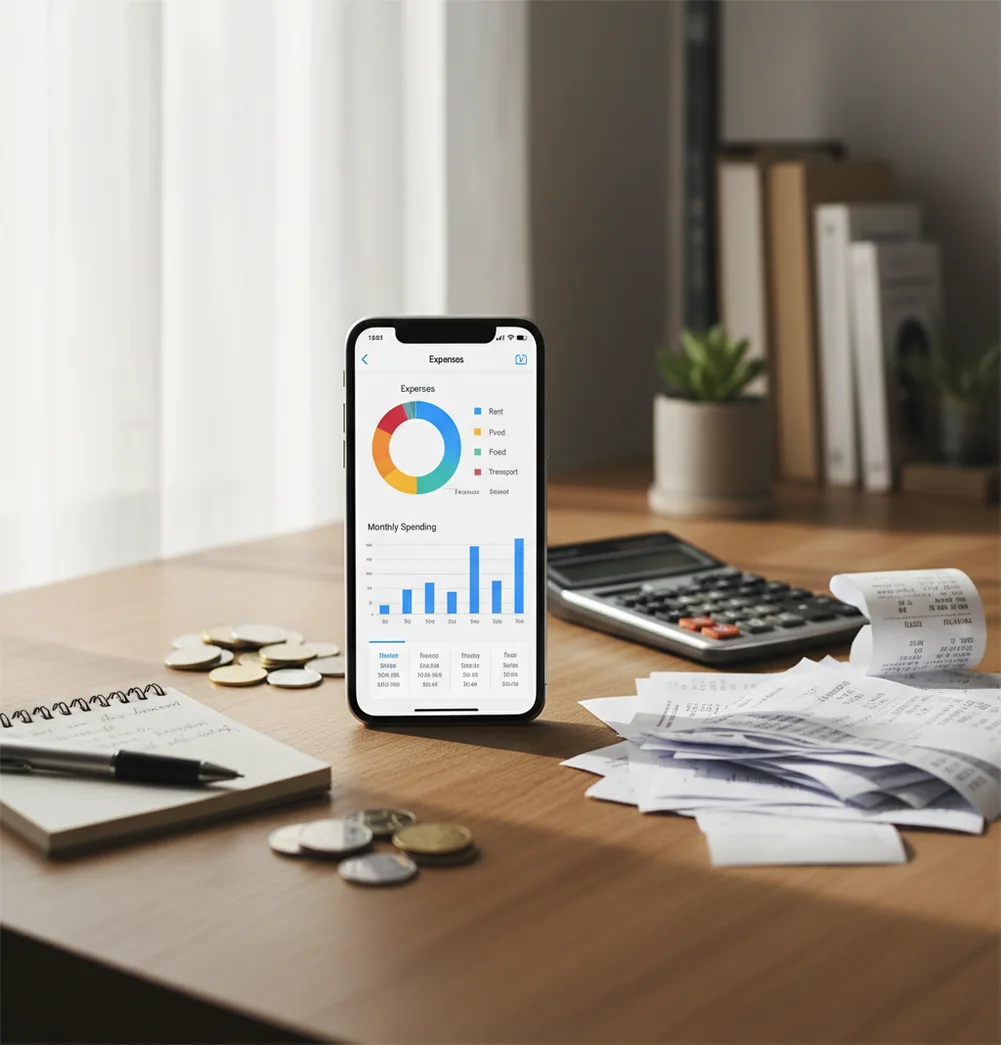
You can track spending without bank sync by entering each purchase manually, organizing it by category, and reviewing totals weekly. The best no-sync setup is fast: recurring bills, receipt photos for proof, and simple reports you can reconcile against statements. This approach favors privacy over automation.
What Is Track Spending Without Bank Sync?
Manual no-sync tracking means you do not connect card, bank, or payment accounts to a finance app. Instead, you record expenses and income yourself, then use categories, notes, receipts, and reports to understand where money went.
Money Tracker App fits this workflow because it keeps the habit simple: log the amount, choose a category, add a note if needed, and review patterns later. On iPhone, the Walleta Budgeting App is the App Store version built for this manual-first approach.
This method is useful when privacy matters. In this setup, there is no bank connection, and data stays on device, while your totals remain auditable through receipts, exports, and weekly checks.
How Track Spending Without Bank Sync Works
A no-sync spending tracker works by turning each purchase into a structured record: amount, date, category, account, merchant, and optional receipt. Those small records become charts, category totals, cash-flow summaries, and exports.
The mechanism is simple. You add transactions manually, create recurring entries for fixed bills, and use reminders so predictable costs do not disappear. Receipt scanning can read totals and merchant names from a photo, while auto-categorization speeds up repeat purchases after the first few entries.
Accuracy comes from reconciliation, not automation. At the end of the week, compare your app totals with receipts, cash remaining, or card statements, then fix missing or miscategorized items.
How to Log Expenses Privately on iPhone
Choose simple categories
Start with 8 to 12 categories such as Food, Transport, Bills, Health, Fun, Travel, Work, and Home. Too many categories slow down every entry.
Add recurring bills first
Enter rent, subscriptions, phone plans, insurance, and loan payments before daily tracking starts. This gives your monthly view a reliable baseline.
Log purchases immediately
Record each expense before leaving the store, restaurant, or checkout screen. A 10-to-20-second entry is the habit that keeps manual tracking alive.
Scan only useful receipts
Attach receipts for groceries, returns, reimbursements, business costs, and large purchases. Skip receipt photos for tiny routine buys unless you need proof.
Review once per week
Check uncategorized items, compare totals with statements or cash, and inspect your top three categories. Small weekly corrections prevent messy month-end cleanup.
When to Use No-Sync Spending Tracking (and When Not To)
Use it when
- Use it when you want a private spending log without linking financial accounts.
- Use it when you pay with cash often and bank imports would miss important purchases.
- Use it when you share accounts but want a separate personal view of your own spending.
- Use it when you need receipt proof for reimbursements, returns, taxes, or client expenses.
- Use it when you want to notice spending behavior at the moment of purchase, not days later.
Skip it when
- Do not use it as your only system if you routinely forget to log transactions for several days.
- Do not use it if you need automatic balance updates across many bank and card accounts.
- Do not use it when business bookkeeping requires formal accounting software and accountant review.
- Do not use it if you want investment performance tracking or portfolio advice.
- Do not use it without weekly reconciliation if exact monthly totals are mission-critical.
Manual Spending Tracker vs YNAB and Spendee
| Feature | Money Tracker App | YNAB | Spendee |
|---|---|---|---|
| Best fit | Fast manual expense and income tracking on iOS | Zero-based budgeting with structured rule-based planning | Visual budget tracking with manual and connected options |
| Manual entry | Designed for quick category-based entries | Supported, but tied to a broader budgeting method | Supported with clean visual summaries |
| Receipt handling | Scan or attach receipts for proof and cleanup | Not the central workflow for most users | Available in some workflows, depending on plan and setup |
| Reports | Category charts, spending summaries, and exports | Strong reports for budget progress and account activity | Visual category reports and spending snapshots |
| Cost model | Free core tracking features | Typically subscription-based | Freemium, with paid features for advanced use |
| Privacy posture | Manual-first with no required account linking | Can use bank imports or manual entry | Can support connected and manual setups |
Choose the tracker when speed, privacy, and receipt-backed manual records matter most. Choose YNAB if you want a strict budgeting philosophy, and choose Spendee if visual dashboards are your main priority.
Use Cases for Manual Expense Logging
- Cash-heavy daily spending: Manual logging captures small cash purchases that never appear as detailed bank transactions. Treat cash as its own account and record each purchase from that balance.
- Shared household purchases: A private log helps separate personal spending from joint account activity. Add notes for partner reimbursements, split bills, or shared grocery runs.
- Work reimbursements: Receipt attachments make reimbursements easier to prove. Add merchant names, categories, and notes so export files are clean when finance teams ask for documentation.
- Travel and multiple currencies: Manual entries work well when cards, cash, and currencies mix during a trip. Log purchases as they happen so conversion estimates can be reviewed later.
- Impulse spending awareness: Typing the purchase creates a small pause. That moment helps reveal repeated snacks, rideshares, subscriptions, or convenience purchases before they become invisible.
Track Spending Without Bank Sync Limitations
What to keep in mind
- The app is iOS-only, so Android users need another manual tracker or a spreadsheet-based workflow.
- Manual entry depends on the user; missed transactions create incomplete category totals.
- This is not investment advice, tax advice, or a replacement for professional financial planning.
- Budgets, projections, and monthly summaries are estimates, not guarantees of future spending.
- The method needs consistent logging, especially after busy days, travel, or cash withdrawals.
- Receipt OCR can misread totals, dates, or merchant names when photos are blurry or receipts are damaged.
- Refunds, split transactions, reimbursements, and shared purchases require extra care to keep records clean.
- Without automatic imports, statement reconciliation is still your responsibility.
Frequently Asked Questions
Yes. Enter each transaction manually, assign a category, and review totals by week or month. The key is logging close to the purchase so details stay accurate.
It can be accurate if you keep the habit consistent. Weekly reconciliation against receipts, cash, or statements catches most missing entries.
Aim for 10 to 20 seconds per transaction. If entries take longer, reduce categories and use notes only when they add real value.
No. Scan receipts you may need later, such as groceries, returns, reimbursements, business purchases, and larger expenses. For small routine purchases, a clean category entry is usually enough.
Create a cash account or cash category, then log spending from that balance. If you withdraw money, record the withdrawal and then record each purchase separately.
Start with broad categories like Food, Transport, Bills, Housing, Health, Fun, Shopping, Travel, and Work. You can split categories later after you see real patterns.
No. A manual tracker is a personal record, not an official statement. Use it to understand habits, then verify important totals against your bank or card records.
Do a short nightly or weekly sweep. Check receipts, wallet cash, recent orders, and card activity, then add missing items before the month gets messy.
Yes, especially when you attach receipts and add notes. Exporting clean records by category or date makes reimbursement requests easier to prepare.