Money Tracker App vs Google Sheets for Expense Tracking
For most people comparing an expense tracker app vs google sheets, an iPhone app is faster and more consistent for daily recording because it’s always in your pocket and built for quick entries. Money Tracker App is designed for mobile-first expense and income logging with categories, charts, and receipt capture. Google Sheets is flexible for custom analysis, but it usually requires more manual work to stay accurate. If your goal is reliable day-to-day tracking, the app workflow tends to win.
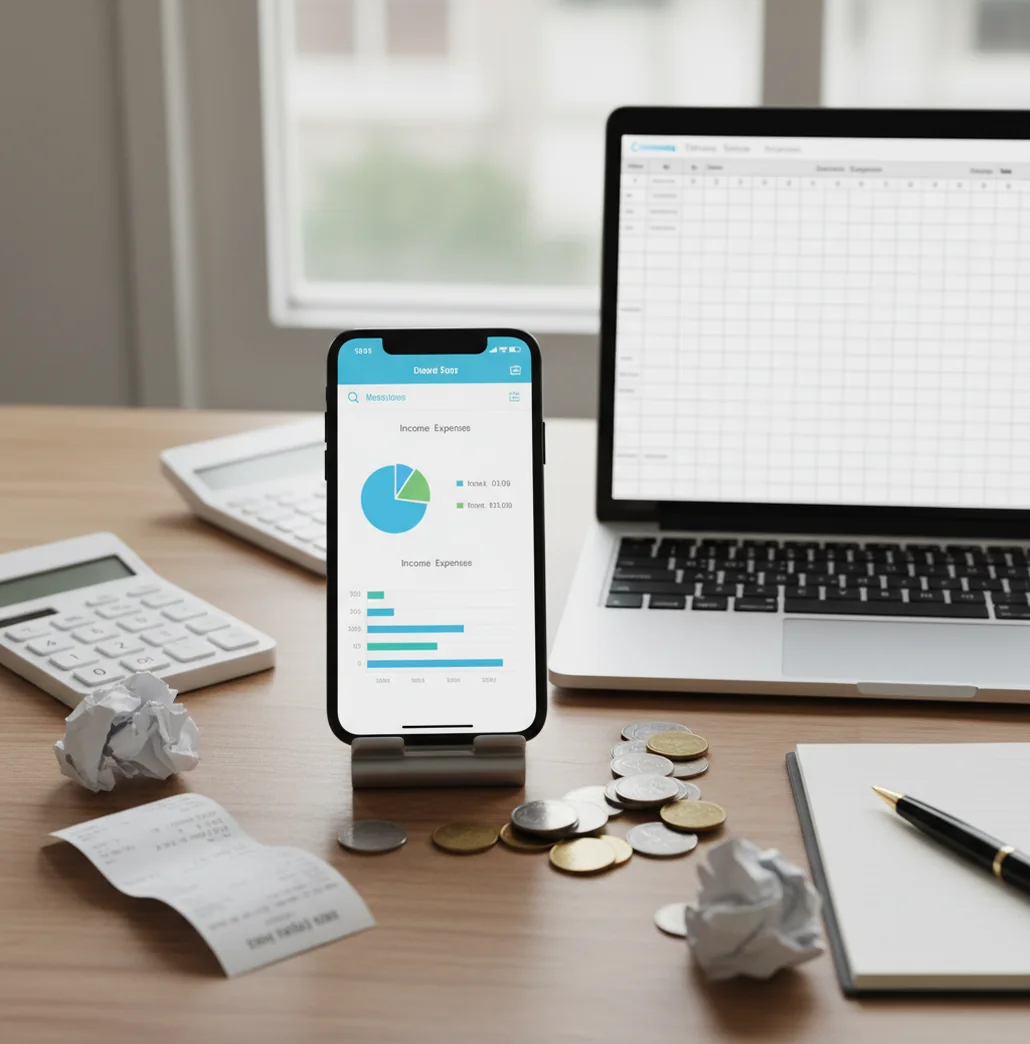
For money tracker app vs google sheets for expense tracking, an iPhone app is usually better for daily logging, receipts, categories, and quick review. Google Sheets is better when you need custom formulas, pivot tables, or a fully controlled reporting model. Walleta is available as a free budgeting ios option for people who want mobile-first tracking without building a spreadsheet.
What Is Money Tracker App vs Google Sheets for Expense Tracking?
This comparison is about purpose-built mobile expense tracking versus a customizable spreadsheet workflow. One system prioritizes fast capture on iPhone; the other prioritizes formulas, pivots, and total control.
An app-based tracker is usually better for daily purchases, cash spending, receipts, recurring bills, and category review. Google Sheets is stronger when you want a custom model, unusual reporting columns, or year-end analysis built exactly your way.
The practical question is not which tool can track money. Both can. The better choice is the one you will update before purchases become guesses. With this tracker, no bank connection is required and data stays on device.
How an Expense Tracking App Works
An expense tracking app works by turning each purchase or income event into a structured transaction record. The core fields are date, amount, category, note, payment type, and sometimes a receipt image.
The mechanism is simple. You enter the transaction on your phone, choose or accept a category, and the app rolls that entry into daily, weekly, and monthly totals. Charts are generated from category sums and time-based groupings, so you can see food, transport, subscriptions, and income patterns without building formulas.
Receipt scanning reduces later cleanup. Search and filters replace spreadsheet sorting. Exports keep the workflow portable when you still want CSV analysis in Sheets.
How to Use an iOS Spending Tracker Instead of Sheets
Audit your current columns
List the fields you actually use in Sheets, such as date, merchant, category, amount, account, notes, and reimbursement status. Drop columns that only create upkeep.
Create matching categories
Set up practical categories like groceries, rent, transport, subscriptions, dining, travel, and income. Keep the list short enough that you can choose quickly.
Pick a clean cutover date
Start on the first day of a week or month. Avoid backfilling everything at once because backlog work often kills the new habit.
Log each purchase immediately
Enter coffee, transit, cash, and card purchases as they happen. Small transactions are the ones most likely to disappear from memory.
Export when analysis matters
Use CSV or PDF export for tax prep, reimbursements, audits, or custom spreadsheet reporting. The app handles capture; Sheets can still handle deep analysis.
When to Use App-Based Expense Tracking (and When Not To)
Use it when
- Use an app when you mostly fail because you forget to open your spreadsheet.
- Use an app when receipt capture matters for returns, reimbursements, warranties, or work expenses.
- Use an app when you want category charts without creating formulas, pivot tables, or dashboards.
- Use an app when you share household spending with a partner, roommate, or family member.
- Use an app when recurring bills, subscriptions, and cash flow timing need regular review.
Skip it when
- Do not replace Sheets if your system depends on complex formulas or custom accounting logic.
- Do not switch if you only review spending once per quarter and do not need daily capture.
- Do not use an app as your only source for formal bookkeeping, tax filing, or investment planning.
- Do not switch if you require desktop-first editing across many custom tabs.
- Do not expect better numbers if you will not log consistently.
Expense Tracking App vs Google Sheets vs Spendee vs Monefy
| Feature | Money Tracker App | Google Sheets | Spendee | Monefy |
|---|---|---|---|---|
| Best fit | Fast iPhone logging with categories, receipts, charts, and exports | Custom formulas, pivots, dashboards, and fully manual reporting | Visual budget tracking and multi-currency views | Very quick manual expense entry |
| Daily capture | Strong, because the workflow is built around phone-first entry | Weaker unless the user opens the sheet every day | Strong for users who like polished app visuals | Strong for simple personal logging |
| Receipt handling | Receipt scanning and transaction attachment | Possible with links or uploads, but manual | Available in some workflows or plans | Limited compared with receipt-focused tools |
| Reporting | Built-in spending charts, cash flow views, search, and filters | Most flexible, but requires setup and maintenance | Good visual summaries and category reporting | Basic charts for lightweight review |
| Customization | Moderate; optimized for personal finance structure | Very high; every field and formula can be customized | Moderate; app-defined structure | Low to moderate; simplicity is the point |
| Best weakness | Less suitable for highly customized spreadsheet models | Easy to neglect during real-life spending | Can feel heavier than needed for basic logging | Less robust for receipts, exports, and detailed analysis |
Google Sheets still wins for maximum customization. A mobile tracker wins when speed, consistency, receipt capture, and monthly review matter more than building the perfect workbook.
Use Cases for Daily Expense Logging
- Replacing a neglected spreadsheet: Use a mobile tracker when your Sheet is accurate only after weekend cleanup. Logging at the moment of purchase prevents forgotten cash spending and vague merchant guesses.
- Tracking shared household spending: Couples and roommates can track groceries, rent, utilities, subscriptions, and reimbursements in one consistent category structure. This reduces debates about who paid for what.
- Managing receipts for reimbursement: Scan receipts for client meals, travel, office supplies, and returnable purchases. Keeping the receipt with the transaction is faster than searching a camera roll later.
- Watching subscriptions and bills: Recurring payments are easy to miss in a spreadsheet if you only update it occasionally. A tracker helps you review monthly commitments before they quietly expand.
- Exporting for spreadsheet analysis: Use the app for capture, then export when you need pivots, annual summaries, tax categories, or custom charts. This hybrid workflow keeps Sheets useful without making it your daily input tool.
App vs Spreadsheet Expense Tracking Limitations
What to keep in mind
- The app workflow is iOS-only, so it is not the right primary tool for Android-first households.
- Manual entry still depends on the user. If you skip transactions, reports will be incomplete.
- Spending charts are summaries, not guarantees. Category totals depend on accurate logging and categorization.
- The tool is not investment advice, tax advice, or a replacement for a professional accountant.
- Estimates, budgets, and monthly projections can be wrong when income timing or irregular bills change.
- Google Sheets remains better for advanced formulas, custom dashboards, and multi-tab financial models.
- Receipt scanning can save time, but users should still verify totals, dates, and merchants for important records.
- Consistent logging matters more than the tool. A simple system used daily beats a detailed system ignored for weeks.
Frequently Asked Questions
An app is better when daily capture is the main problem. Sheets is better when custom formulas, pivots, and unusual reporting fields are more important.
Yes, Sheets can track expenses accurately if you enter transactions consistently and maintain categories. The weak point is not the spreadsheet; it is the habit of opening it every day.
A phone-based tracker is usually faster for coffee, transit, groceries, and cash purchases. It is designed for quick entry instead of row editing.
Yes. A good app workflow should let you export transactions to CSV or PDF so you can analyze them in Sheets when needed.
An app is usually better for receipts because you can scan or attach proof at the transaction level. Sheets can store links, but the process is more manual.
Not always. Many people use an app for daily capture and Sheets for deeper monthly, annual, or tax-related analysis.
Keep Sheets if formulas are central to your system. You can still use an app as the front-end log and export data when you want spreadsheet control.
Log transactions immediately and keep categories simple. If you wait until the weekend, small purchases often turn into estimates.